Your Tap.Giving Launch Kit
Install your plates, announce it from the stage, and go live. Everything you need is below, step by step.
Getting Started
Placement Tips
Where to mount, how many you need, and how to avoid NFC interference.
Installation Guide
Adhesive and screw mount options. Step-by-step for each.
Announcement Kit
Slide template, sample script, and tips for a great launch Sunday.
Phone Settings
iPhone and Android NFC setup. Share this with your volunteers.
Troubleshooting
Common issues and fixes. Phone not reading? Adhesive not sticking? Start here.
Redirect URL Setup
How to choose a URL for your plates that you can update anytime.
Placement Tips
Where you put the plates matters as much as having them. Here’s what works.
Mount at arm height
People should be able to tap without leaning forward from a seated position.
Center on the pew back
Should be visible and accessible from any seat in the row.
Avoid metal framing
Standard plates can pick up interference from nearby metal, so keep them clear of metal brackets and rails. Mounting on metal itself? Order our metal-compatible plates.
Keep the spacing even
Grab a measuring tape so the height and the distance between each plate stay consistent. Even spacing looks intentional and makes the plates easy to spot.
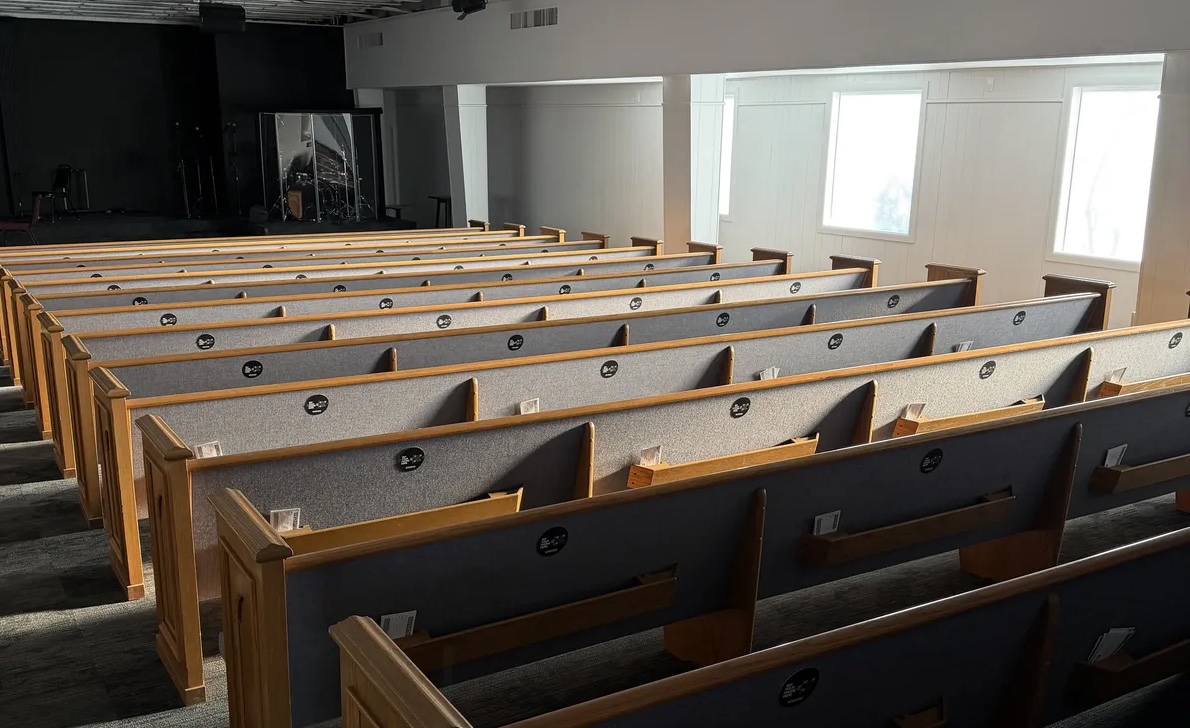
Installed at Encounter the Lord Church, Lubbock, TX
Installation
Three mounting options depending on your seating. Most churches finish installing in under an hour.
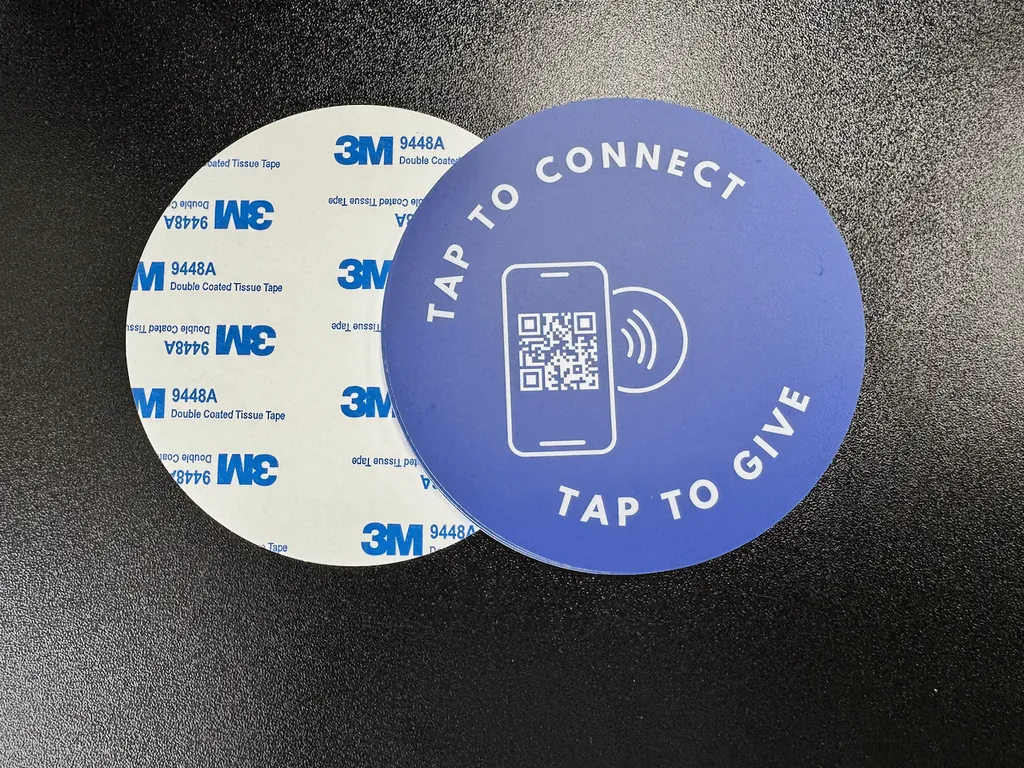
Every plate arrives with a custom-printed front and a strong 3M adhesive backing.
Adhesive Back
Works great on smooth, flat surfaces like finished wood pews and plastic chair backs. Mounting on metal? Order our metal-compatible plates and they work there too.
Place plates on the back of the pew in front, so the person seated behind can easily reach it.
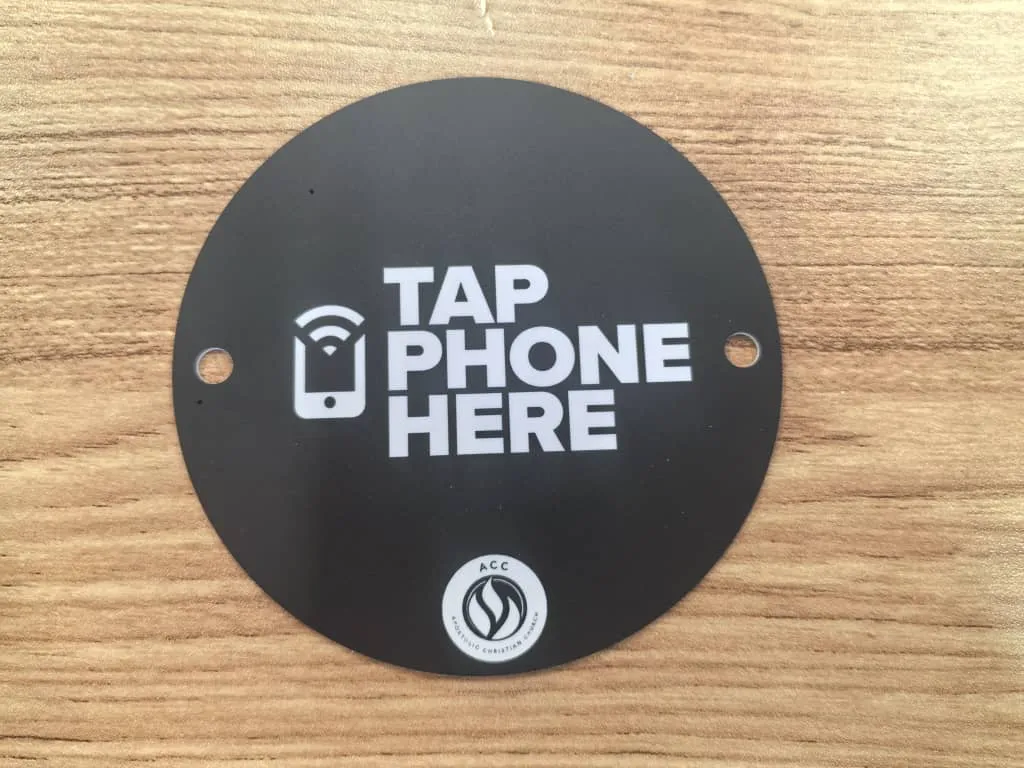
Plates can ship with two pre-drilled holes for screw mounting.
Screw Mount
For a permanent mount on wooden pew backs. Plates can be ordered with pre-drilled holes.
Plates with screw holes also include adhesive backing, so you have both options.
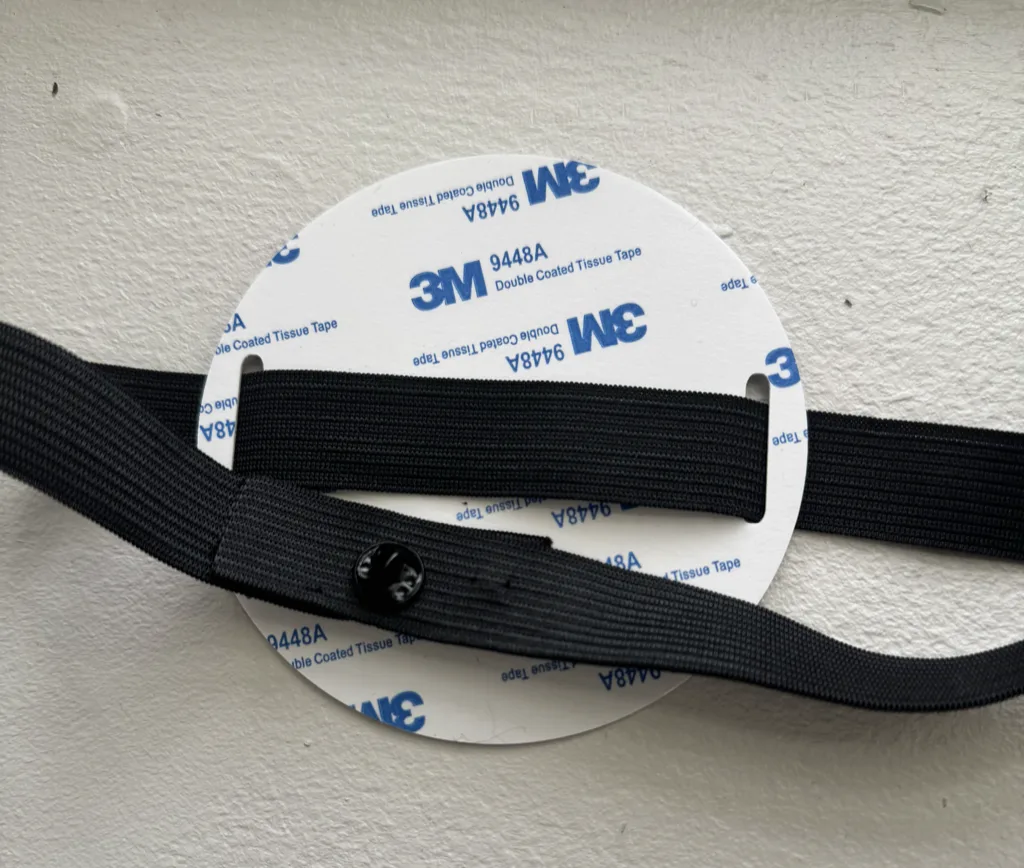
The band threads through a slot on each edge and the two ends join with a fastener pin. Shown from the back, where the adhesive backing still is.
Elastic Band
For stackable and upholstered chairs, where you would rather not drill. The band threads through two slots at the edge of the plate and wraps around the chair back, joined by a fastener pin. Nothing is permanent, so plates move with the chairs when you reset the room.
Bands are cut to length when you order, so measure a chair back first. Plates ordered with bands still arrive with the adhesive backing, so you can switch to peel and stick.
Announcing to Your Church
The biggest mistake is installing plates without telling anyone. A quick announcement during service makes all the difference.
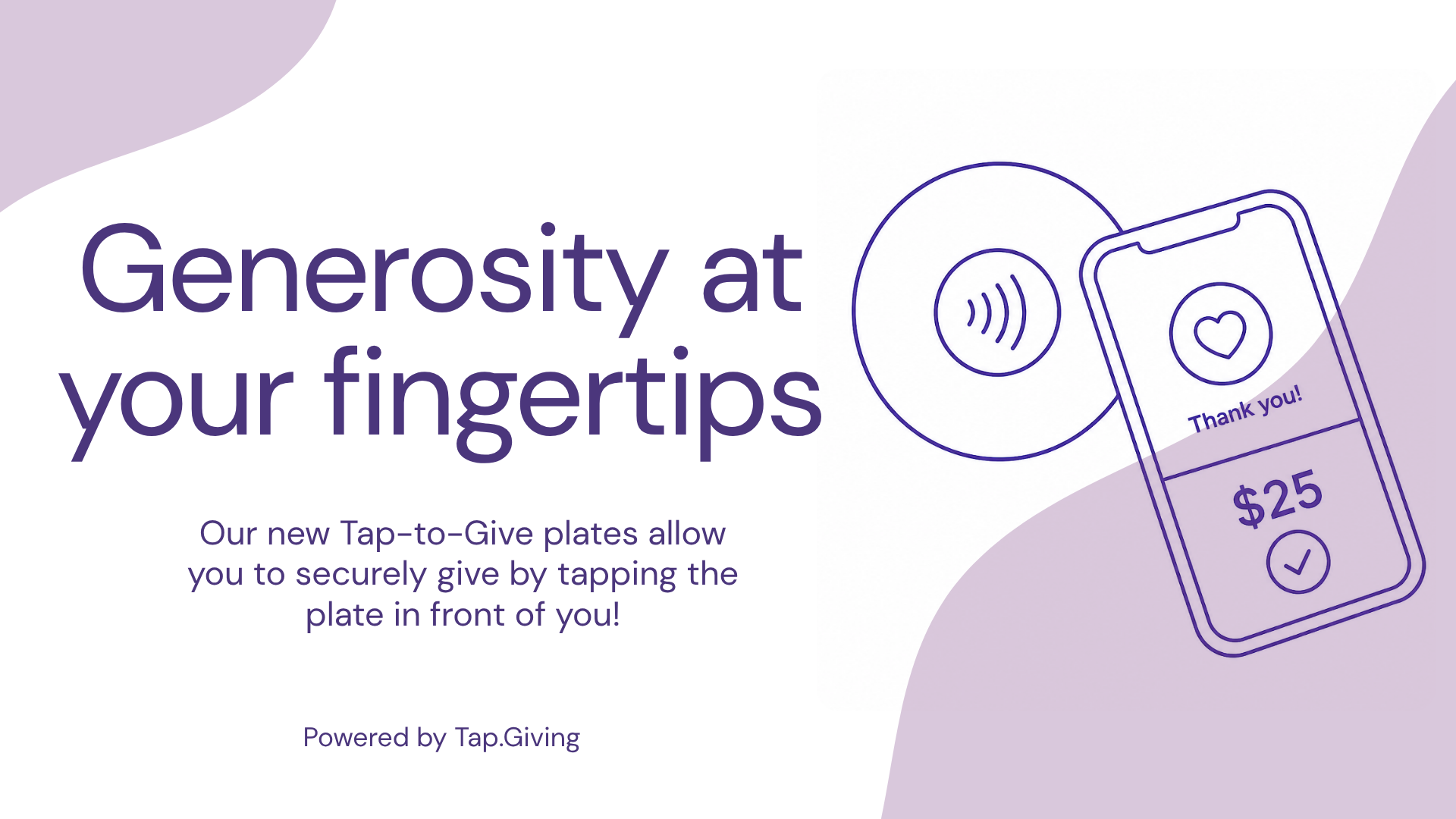
Announcement Slide
Drop this into ProPresenter, EasyWorship, PowerPoint, or whatever your church uses. Display it during the giving moment.
Download the slide
What to Say
A simple script your pastor or worship leader can use:
Launch Day Tips
Announce from the stage
Don’t rely on people noticing the plates on their own.
Have volunteers in the lobby
2-3 people to demo the tap and help with phone issues.
Announce for 3-4 weeks
Not everyone is there every Sunday. Repetition builds new habits.
Add to your bulletin
A short note explaining tap-to-give goes a long way.
Phone Settings & NFC
Most phones work out of the box. Share this section with your volunteers so they can help anyone who has trouble.
iPhone
iPhone XR/XS and newer read NFC automatically, no setup needed. Just hold the top of the phone near the plate.
iPhone 7-X: Open Camera app or Control Center NFC reader, then tap.
iPhone XR and newer: Just tap. NFC reads automatically in the background.
NFC antenna location: Top edge of the phone.
Android
Most Android phones have NFC built in. If tapping doesn’t work, check these settings:
Most Android: Settings → Connected Devices → NFC → On
Samsung: Settings → Connections → NFC and Contactless Payments → On
NFC antenna location: Center of the phone’s back.
Thick cases: Remove if tap isn’t registering. Metal cases block NFC.
Troubleshooting
Quick answers to the most common questions.
- Make sure the phone is unlocked. NFC won’t trigger on a locked screen for most Android phones.
- Tap slowly and hold for 1-2 seconds. Don’t just bump it. Hold the phone flat against the plate.
- Try tapping a different spot. The NFC antenna location varies by phone model.
- Check NFC is enabled in phone settings (see above).
- Remove the phone case if it’s very thick or has a metal plate inside.
That is the phone’s internet connection, not the plate. Try turning Wi-Fi off and back on, or switch between Wi-Fi and cell data. Church Wi-Fi that makes you sign in first is a common culprit, so cell data often works best.
Each plate is encoded with your URL during production. If it is opening the wrong page, email hello@tap.giving and we’ll sort it out. If your plates point through our Redirect Dashboard, you can re-point them yourself: log in at tap.giving/login. Nothing on the plates changes.
- Clean the surface first. Dust, oils, and lacquer build-up weaken adhesive. Wipe with rubbing alcohol and let dry.
- Give it 24 hours. Full strength takes a day. Avoid bumping the plate.
- Rough or textured surfaces may need nano double-sided tape for extra hold.
- Consider screw mounting for high-traffic areas or if adhesive keeps failing.
It depends on how you ordered. If you added our Redirect Dashboard, yes: your plates point at a link you control, so you can log in at tap.giving/login and change where they send people anytime, with no reprinting. If you didn’t add it, your plates are locked to the exact URL you gave us at production, so changing it would mean new plates. Not sure which you have, or want to add the Redirect Dashboard? Email ryan@tap.giving and we’ll get you sorted.
The goal is a plate within arm's reach when the offering moment comes. Most churches mount one on every seat back or pew position; some start with every other seat and fill in later. When in doubt, order for your seat count so nobody has to reach past a neighbor to give.
Need Help?
I’m here to make sure your launch goes smoothly.
Ryan, Founder
Need more plates?
Order more for new seats, extra rooms, or another campus.