NFC Giving Explained: A Church Tech Team’s Complete Guide
You’re the person your church turns to when they need to know how something actually works. Before you champion NFC giving to your leadership team, you want the full picture, how the chips work, which phones are compatible, what the security story looks like, and what can go wrong. This guide covers all of it.
See your church's plate and price in 30 seconds
Design it yourself on the next page. From $3.50 per plate, free shipping, no monthly fees.
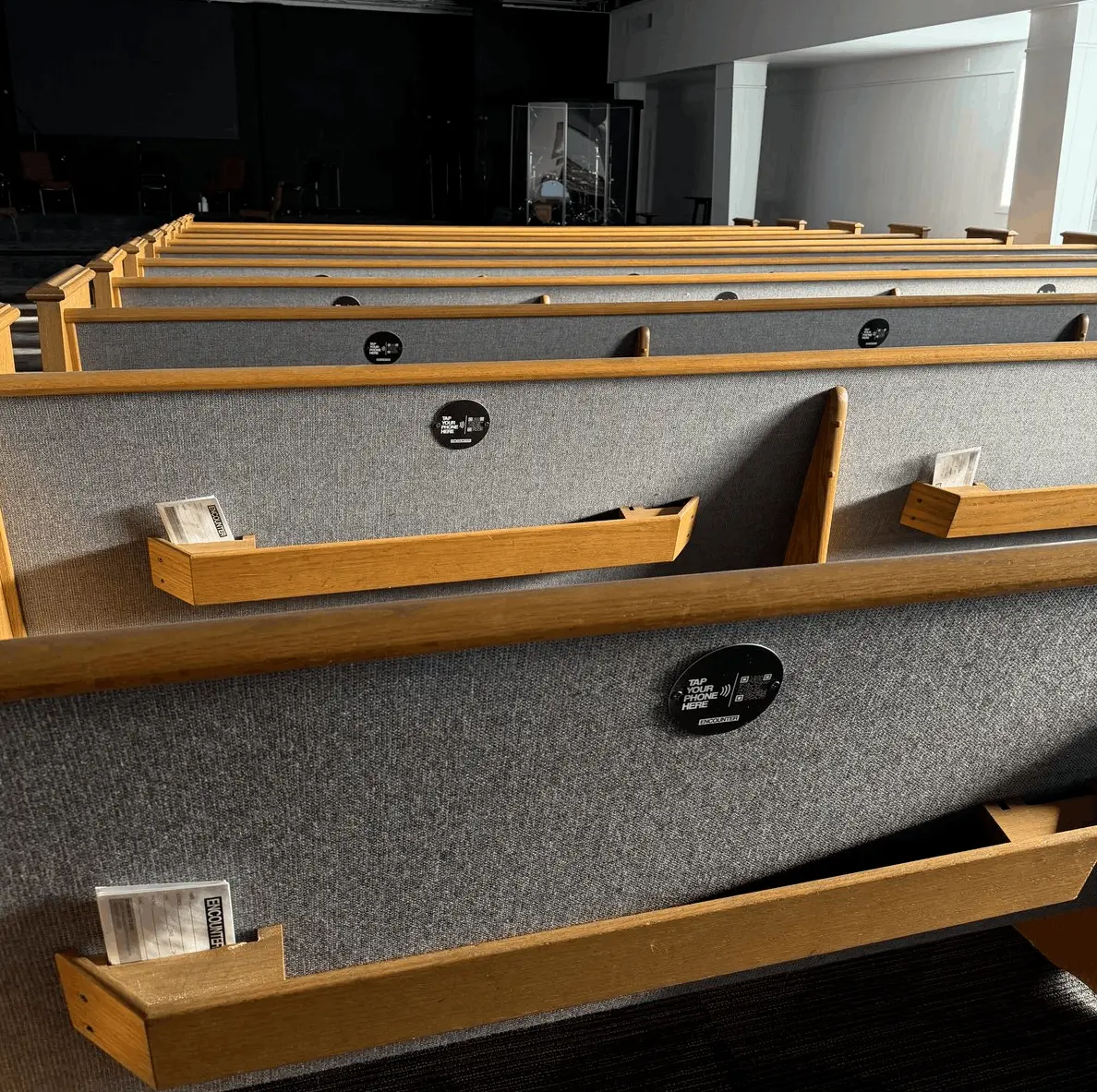
What Is NFC and How Does It Work?
NFC (Near Field Communication) is a short-range wireless technology that lets two devices exchange data within about 4 cm, the same tech behind Apple Pay and contactless credit cards. In church giving, a passive NFC chip in a plate stores a URL and transmits it to a phone in milliseconds, with no pairing, WiFi, or app required.
A quick terminology note before we dig in: some vendors call these hardware devices tap discs or NFC giving discs instead of tap plates. Same chip, same physics, different industry term. Our full breakdown of who uses which lives in the tap disc and tap plate buyer’s guide.
NFC stands for Near Field Communication. It’s a short-range wireless technology that allows two devices to exchange data when they’re very close together, within about 4 cm (1.5 inches). If you’ve ever tapped your phone to pay at a coffee shop or held a hotel key card to a door lock, you’ve used NFC. It operates at 13.56 MHz, a frequency that’s been standardized globally for contactless communication since the early 2000s.
For church giving, two NFC modes matter: passive tags (the plate) and active readers (the phone). A Tap.Giving plate contains an NTAG chip, a tiny integrated circuit connected to a small antenna coil. The chip has no battery and no power source of its own. When a phone’s NFC reader gets close enough, it generates an electromagnetic field that powers the chip via electromagnetic induction. The chip wakes up, reads its stored data (a URL), and transmits it back to the phone. The phone’s operating system recognizes the URL and prompts the user to open it.
The entire exchange happens in milliseconds. No pairing. No Wi-Fi. No Bluetooth. No app. Just proximity and physics.
How NFC Compares to Other Wireless Technologies
| NFC | Bluetooth | QR Code | Wi-Fi | |
|---|---|---|---|---|
| Range | ~4 cm | ~10 m | Camera distance | ~50 m |
| Speed to connect | <0.1 seconds | 2-5 seconds | 1-3 seconds | 3-10 seconds |
| Requires app? | No | Yes | Camera app | No (browser) |
| Power source | None (passive) | Battery | None (printed) | AC power |
| Reliability | Very high | Moderate | Depends on lighting | Depends on signal |
Why This Matters for Sunday Morning
NFC’s killer advantage in a church setting is its simplicity. There’s no pairing step, no network dependency at the point of tap, and no app to install. Bluetooth requires pairing. QR codes require the user to open their camera, frame the code, and wait for recognition. Wi-Fi requires your building’s network to be working. NFC just requires proximity, and it works every time.
Phone Compatibility: What Works and What Doesn’t
Over 90% of smartphones sold since 2020 include NFC hardware, covering every iPhone since iPhone 7 (2016) and most Android phones since 2015. Modern iPhones (XS and later) read NFC tags automatically in the background with no app needed. Budget Android phones under $100 are the main exception.
This is usually the first question tech teams ask: “Will it work on everyone’s phone?” The short answer is that over 90% of smartphones sold since 2020 include NFC hardware. Here’s the detailed breakdown.
iPhone
NFC tag reading has been built into every iPhone since the iPhone 7 (2016), running iOS 11 or later. However, the experience varies by model:
iPhone XS and later (2018+)
Background tag reading, the phone reads NFC tags natively without any app or action. Just hold the phone near the plate and a notification appears automatically. This is the seamless experience.
iPhone 7, 8, and X
NFC reading works, but the user needs to open the NFC Tag Reader from Control Center first. It’s one extra step, but these phones are increasingly rare in 2026.
Android
NFC has been available on most Android phones since Android 4.4 KitKat (2013). On Android, NFC tag reading is native and automatic, no extra app, no special mode. Just tap and go. The phone reads the tag, displays a notification, and the user taps to open the URL in their browser.
The main exception: some budget Android phones (typically under $100) may not include NFC hardware. If you’re curious about a specific model, check the phone’s settings for an “NFC” toggle under Connected Devices or Connections.
What If Someone’s Phone Doesn’t Have NFC?
Nothing bad happens. The plate simply doesn’t respond, there’s no error message, no awkward beep, no confused screen. The person just passes the plate along. They can still give through your church’s regular online giving page, text-to-give, cash, or check. NFC plates add a giving channel; they don’t replace existing ones.
Locked vs. Unlocked NFC Chips: Why It Matters
Unlocked NFC chips can be rewritten by anyone with a free phone app, creating a security risk for church plates in public areas. Locked chips are tamper-proof but inflexible. Tap.Giving uses a “lock + redirect” approach that combines permanent chip security with flexible destination URLs you can change anytime.
If you’re evaluating NFC giving solutions, or thinking about doing it yourself, this is the section that will save you from a potential headache. Not all NFC chips are configured the same way, and the difference has real security implications.
Unlocked Chip
Security riskAn unlocked NFC chip can be rewritten by anyone with a free NFC writing app on their phone. If your offering plates sit in a public area, a lobby, an exit table, an unattended sanctuary, someone could overwrite your giving URL with a malicious link. It only takes a few seconds. This is the default state of most off-the-shelf NFC tags.
Locked Chip
Secure but rigidA locked chip has its URL permanently written and cannot be changed, by anyone, ever. This is secure: no one can tamper with it. But it’s inflexible. If you change giving platforms, update your URL structure, or want to point the plate to a special campaign, you’d need entirely new chips.
Lock + Redirect (What Tap.Giving Uses)
Best of both worldsTap.Giving chips are locked to a redirect URL that you control through your account. The chip itself is tamper-proof, no one can overwrite it. But the destination the redirect points to is fully flexible. Switch giving platforms? Just update the redirect. Run a special campaign? Point it to a different page for the weekend. You get permanent chip security with on-demand destination flexibility. See our pricing for plates with locked, redirect-ready chips at every tier.
Want the Full Deep Dive?
Our NFC FAQ page covers chip locking, redirect management, and other technical details in even more depth. It’s a good resource to bookmark for your team.
What Happens When Someone Taps: The Full Technical Flow
The entire NFC tap-to-give flow takes about two seconds: the phone powers the passive chip, reads the stored URL, and opens the church’s giving page in the browser. The giver’s only action is tapping a notification. No app download, no Bluetooth pairing, no QR scanning, and no WiFi connection required at the point of tap.
From the moment a phone gets close to the plate to the moment the giving page loads, about two seconds pass. Here’s what’s happening under the hood during those two seconds:
Phone detects electromagnetic field
The phone’s NFC antenna senses the passive chip’s presence when it enters the ~4 cm range.
Phone powers the NTAG chip
The phone’s NFC reader generates a radio field that powers the passive chip via electromagnetic induction. No battery needed.
Chip transmits its NDEF record
The chip sends back its stored data, an NDEF (NFC Data Exchange Format) record containing a URL, to the phone.
Phone’s OS reads the NDEF record
iOS or Android recognizes the record as a URL type and prepares to handle it.
Phone displays a notification
A banner or prompt appears asking the user if they’d like to open the URL. On Android, this may open automatically depending on settings.
User taps the notification
One tap on the notification, the only user action in the entire flow.
Browser opens the giving page
The phone’s default browser opens your church’s giving page, Tithely, Subsplash, Planning Center, or whichever platform you use.
User completes donation
The giver enters their amount and payment method through your giving platform’s secure interface. Done.
Notice What’s NOT in This Flow
No app download. No account creation. No Bluetooth pairing. No QR code scanning. No typing a URL. No Wi-Fi connection required at the point of tap. The entire interaction is one physical gesture + one screen tap. That’s why adoption rates are so high, there’s almost nothing to learn and nothing to go wrong. Ready to see what it costs? View pricing for NFC plates starting at $3.50 each.
Security: What Church Leaders Need to Know
NFC giving plates store only a URL, no financial data, no personal information, and all payment processing happens on your giving platform’s PCI-compliant servers. Locked chips prevent tampering, HTTPS encrypts the connection, and the 4 cm operating range makes interception physically impossible in a room full of people.
Security is a legitimate concern, especially when giving is involved. Here’s a straightforward assessment of the security model behind NFC giving plates, no hand-waving, just facts.
The Chip Contains Only a URL
No financial data. No personal information. No donor records. The NFC chip stores a single URL, nothing more. It’s functionally identical to a hyperlink printed on a piece of paper, except it’s delivered wirelessly.
Payment Processing Happens Elsewhere
All payment processing occurs on your giving platform’s secure servers, Tithely, Subsplash, Planning Center, Pushpay, or whichever service you use. These platforms are PCI-DSS compliant and handle encryption, tokenization, and fraud detection. The NFC plate is just the doorway; the security infrastructure is behind it.
Locked Chips Prevent Tampering
Tap.Giving plates use locked NTAG chips. Once programmed, the data cannot be overwritten, erased, or modified by anyone, not with an app, not with specialized hardware. The chip is permanently set.
HTTPS Encryption on the Redirect
The redirect URL uses HTTPS, meaning the connection between the user’s phone and the giving page is encrypted in transit. This is the same encryption standard used by banks and e-commerce sites.
4 cm Range Makes Interception Impossible
NFC operates at a maximum range of about 4 cm. To intercept an NFC communication, an attacker would need to be physically within inches of the transaction, effectively impossible in a room full of people without being noticed.
How NFC Compares to Other Giving Methods on Security
NFC Plates
Locked chip, HTTPS redirect, 4 cm range. Tamper-proof if locked properly.
QR Codes
Can be covered with a malicious sticker redirecting to a phishing page. No built-in tamper detection.
Text-to-Give
SMS is unencrypted by default. Susceptible to SIM swapping and spoofing attacks.
Common Questions from Tech Teams
These are the questions we hear most often from the technically-minded folks at churches. If your question isn’t here, feel free to reach out, we’re happy to go as deep as you need.
“Do the plates need batteries?”
No. NFC giving plates use passive NFC chips. The chip has no battery and no power source. It’s powered entirely by the electromagnetic field generated by the phone’s NFC reader at the moment of the tap. There’s nothing to charge, nothing to replace, and nothing that depletes over time.
“Do they need Wi-Fi or cellular?”
The plate itself doesn’t need any network connection. The NFC exchange between the chip and the phone is a direct, local radio interaction. However, the phone does need data connectivity (Wi-Fi or cellular) to load the giving page after the tap. This is the same requirement as any online giving method, the phone needs to reach the internet to process a donation.
“What’s the lifespan of an NFC chip?”
Virtually unlimited. NTAG chips have no moving parts, no battery to degrade, and no components that wear out from normal use. They’re rated for 100,000+ read cycles. If your church passed the plate 100 times every Sunday, it would take over 19 years to reach that number, and that’s the rated minimum, not the failure point. In practical terms, the plate’s physical material will wear out long before the chip does.
“Can we program our own NFC tags instead?”
You can. Blank NTAG tags are inexpensive and writable with free apps. But there are trade-offs. You’d need to manage your own redirect infrastructure (what happens when you change giving platforms?), handle chip locking yourself (and accept the security risk if you don’t), and source or fabricate your own physical plates. Tap.Giving handles programming, permanent locking, redirect management, and ships finished plates ready to use. You can order your plates and have them arrive ready to pass on Sunday morning. Our DIY NFC giving guide covers both approaches honestly.
“Will phone cases block NFC?”
Standard cases, plastic, leather, silicone, TPU, do not block NFC signals. NFC operates through these materials without any issue. The only cases that can interfere are very thick metal cases or wallets with built-in RFID-blocking material. These are specifically designed to block radio signals and represent less than 1% of cases in use. If someone has one of these rare cases, they can simply hold their phone slightly closer or remove the case briefly.
“What about Apple Pay? Will tapping the plate trigger a payment?”
No. This is a common concern, but NFC tags and NFC payment terminals use different protocols. Apple Pay (and Google Pay) only activate when the phone detects a payment terminal that initiates a specific EMV contactless payment handshake. An NFC tag sends an NDEF record, a completely different data format. The phone’s operating system knows the difference and handles each accordingly. Tapping a giving plate will never accidentally trigger Apple Pay, Google Pay, or any payment wallet.
Now You Know How It Works, Ready to Try It?
You’ve got the technical details. You know it’s secure, compatible, and built to last. The next step is getting plates in your hands so you can see it for yourself.
Questions? Email hello@tap.giving or call (832) 510-8788.