How to Launch NFC Tap-to-Give in Your Church This Month
You’ve seen what NFC giving plates can do. Now here’s the part that surprises people: getting them up and running is genuinely easy. This step-by-step guide walks you through everything, from placing your order to watching your congregation tap for the first time.
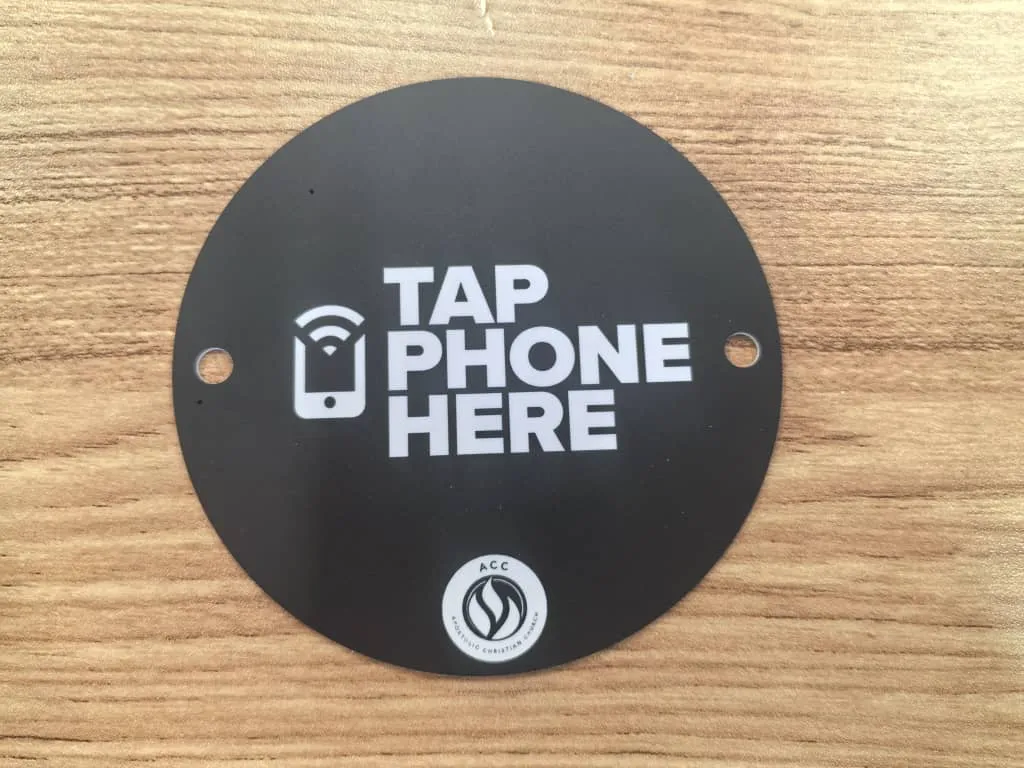
See your church's plate and price in 30 seconds
Design it yourself on the next page. From $3.50 per plate, free shipping, no monthly fees.
Week 1: Decide and Order
This is the only step that requires any real decision-making, and even this one takes about ten minutes. If you’re still weighing whether NFC is the right move over QR codes or text-to-give, our QR codes vs. NFC comparison breaks down why tap plates win on speed, simplicity, and adoption. Already convinced? Here’s what you need to figure out.
How Many Plates Do You Need?
The rule of thumb is simple: 1 plate per 25-50 attendees, with a minimum of 2 plates. You want enough plates so that everyone gets a chance to tap without holding up the flow. Here are some common scenarios:
Don’t Overthink the Count
At $3.50 to $5.00 per plate, ordering a few extras is a rounding error in your church budget. It’s better to have one or two extra plates than to leave a section of pews without coverage. You can always order more later, there are no minimum orders.
Place Your Order
Head to tap.giving and fill out the order form. You’ll need just two things:
Your Church Info
Name, shipping address, and how many plates you want. That’s the admin part done.
Your Giving URL
The web address of your church’s online giving page. This is the link people will see when they tap the plate.
How to Find Your Giving URL
Not sure where to find it? Here’s how to grab your giving link from the most popular platforms:
Tithely: Log in to your Tithely dashboard → Click “Giving” → Click “Share” or “Giving Page Link.” It usually looks like tithe.ly/give?c=XXXXXXX
Subsplash: Go to your Subsplash dashboard → “Giving” → “Online Giving Page” → Copy the URL. Format: pushpay.com/g/yourchurch or your custom domain.
Planning Center: In Planning Center Giving → “Settings” → “Donation Page” → Copy your public giving page URL.
Pushpay: Your giving link is typically pushpay.com/g/yourchurchname. You can also find it in your Pushpay admin under “Giving” settings.
Donorbox: Go to your Donorbox dashboard → Select your campaign → Click “Share” → Copy the direct link.
Any other platform: Look for a “Share,” “Embed,” or “Online Giving Page” option in your admin. If you have a “Give” button on your church website, right-click it and copy the link, that’s your URL.
What Happens Next
Once you submit your order, your plates are programmed with your giving link and shipped directly to your church. Free shipping, delivery 2-3 weeks from artwork approval. No setup fees. No monthly fees. You’ll get a confirmation email with tracking info.
Weeks 2-4: Prepare While You Wait
Your plates are on their way. You’ve got a few weeks before they arrive, and honestly, the prep work is minimal. But doing these small things now will make launch Sunday seamless.
Brief Your Usher/Greeter Team
This is a five-minute conversation, not a training session. Here’s literally all you need to say:
“Starting this Sunday, our offering plates have NFC chips in them. People can tap their phone on the plate and it opens our giving page. You don’t have to do anything different, just pass the plate like you always do. If someone asks, just say ‘tap your phone on the plate to give.’”
That’s it. No new procedures. No technology to troubleshoot. Ushers pass the plate the same way they always have. The NFC chip does the rest invisibly.
Plan a Brief Announcement for Launch Sunday
People need to know the plates can do something new. A 15-20 second announcement from the pastor or worship leader before the offering is all it takes. We’ve included a ready-to-use script below, feel free to adapt it to your church’s voice.
Optional: Spread the Word Early
These aren’t required, but they can build a little buzz and help people feel prepared:
Test With Your Own Phone When Plates Arrive
When your plates arrive, take one out of the box and hold your phone near it. Your giving page should pop up instantly, no app needed. Try it on an iPhone and an Android if you can. This isn’t troubleshooting; it’s just the satisfying moment where you confirm it works exactly as promised. It will.
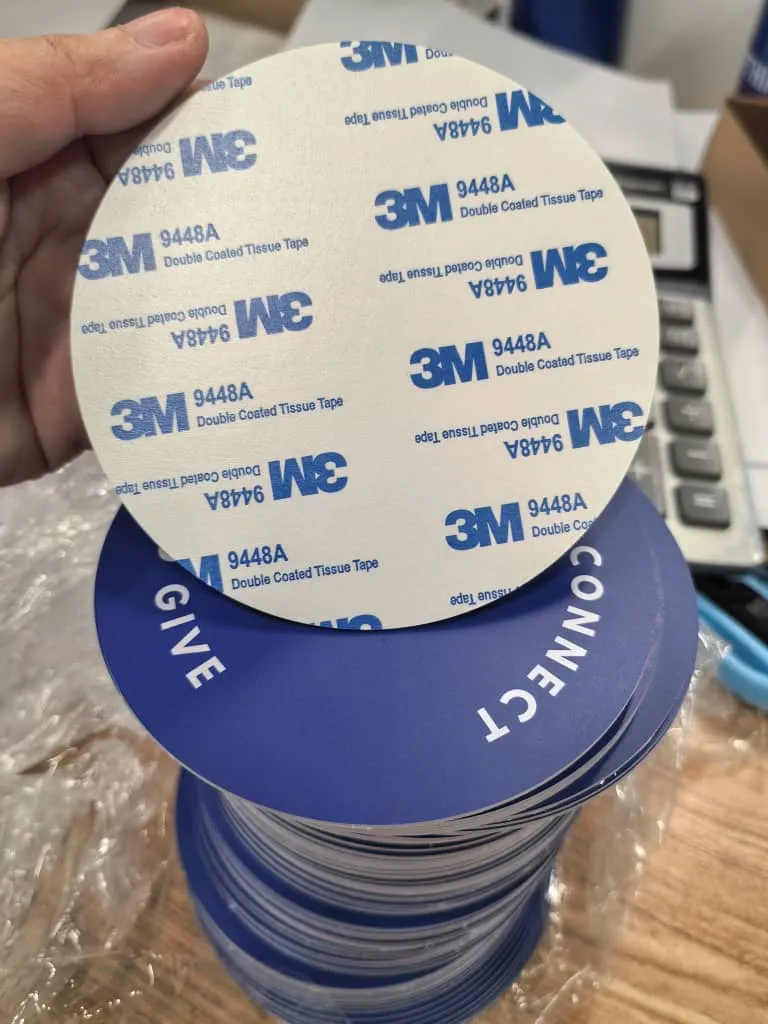
Plates come with an adhesive backing option for mounting to existing plates or surfaces.
Launch Sunday: Go Live
This is the day. And honestly, it’s going to feel anticlimactic, in the best way. There’s nothing complicated to manage. Here’s your launch-day checklist:
Hand plates to ushers before service
Pastor makes brief announcement
Ushers pass plates as normal
Watch it work
Ready-to-Use Announcement Script
Feel free to adapt this to match your pastor’s style. The whole thing takes about 15 seconds.
“Hey, quick heads-up before the offering. Starting today, you can give by simply tapping your phone on the offering plate. When the plate comes to you, just hold your phone near it and our giving page will pop right up. No app to download, nothing to sign up for. Just tap and give. If you prefer cash or your usual method, that’s great too. Let’s be generous together.”
A note on the announcement: You only need to do a full introduction on the first Sunday. After that, a shorter reminder works fine: “Remember, you can tap your phone on the offering plate to give digitally.” By week three or four, most people will know the drill and you won’t need to say anything at all.
What You’ll See Happen
When the plate reaches someone, they’ll hold their phone near it. A notification pops up on their screen. They tap the notification and your giving page opens in their browser. The whole thing takes about three seconds. People around them will notice and try it themselves. It spreads naturally.
After Launch: What to Expect
Don’t expect 100% adoption on day one. That’s normal and fine. Here’s the realistic timeline most churches experience:
First Sunday
Curiosity phase
Some people will try it right away, especially younger members and the tech-curious. Others will watch. A few will ask the person next to them, “Did that just work?” You’ll probably see 15-25% of your congregation try tapping on the first Sunday. That’s a great start.
Weeks 2-3
Adoption builds
The people who watched last week will try it this week. Word spreads between services and in small groups. You’ll hear people say, “I tapped the plate last Sunday, it was so easy.” Adoption climbs steadily without you having to do anything.
Weeks 3-4
New normal
By now, most regular attenders know how it works. Tapping becomes the default for a significant portion of your congregation. The offering moment feels natural, participatory, and modern. You stop needing to make announcements about it.
Every Sunday After
Visitors tap naturally
Here’s the long-term win: every new visitor who walks into your church will see people tapping the plate and follow suit. They don’t need instructions. The gesture is intuitive, it’s the same thing they do at the coffee shop, the grocery store, and the parking meter. Tap to pay is already muscle memory. Learn more about how NFC plates help with turning first-time visitors into first-time givers.
Monitor your giving platform: Log in to your giving dashboard (Tithely, Subsplash, Planning Center, etc.) during the week after launch. You’ll see new online donations showing up, these are the taps. Over time, you’ll notice your digital giving numbers climbing as more people switch from cash to tap.
Pro Tips: Placement, Multiple Services & Special Events
Once you’ve got the basics down, here are a few ways to get even more out of your tap plates.
Strategic Placement
Beyond passing plates down rows, consider placing stationary tap plates at high-traffic spots:
- Exit doors (people give on the way out)
- Welcome/visitor center table
- Coffee bar or lobby area
- Kids’ check-in/pick-up zone
Multiple Services
Running two or three services? NFC plates require zero reset between services:
- No cash to count between services
- No envelopes to collect and secure
- Plates are instantly ready for the next service
- All donations land in the same giving dashboard
Special Events
Your tap plates aren’t just for Sunday mornings. Use them at:
- Wednesday night services and small groups
- Youth group meetings
- Community events and outreach
- Holiday services (Easter, Christmas Eve)
Track and Celebrate
A few weeks in, share the wins with your team and congregation:
- Note any increase in first-time digital donors
- Watch for visitor giving, people who’ve never given before
- Thank your congregation for embracing the new giving option
- Order more plates if you need them for growth or events
The Compound Effect
Every week that your tap plates are in circulation, more people adopt the habit. Every visitor who taps is a potential recurring donor, and the real-world ROI numbers from churches using NFC show just how quickly that value adds up. Every special event is a new giving touchpoint. The plates you order once keep generating value Sunday after Sunday, year after year, with zero ongoing cost.
Your Launch Timeline at a Glance
Order your plates at tap.giving. Takes 10 minutes.
Brief ushers (5 minutes). Plan your announcement.
Plates arrive. Test with your phone. Smile.
Launch Sunday. Hand plates to ushers. Make announcement. Done.
Watch adoption grow. Monitor giving dashboard. Enjoy the simplicity.
What It Costs (Spoiler: Not Much)
Ready to Launch Tap-to-Give at Your Church?
The whole process takes less than 30 minutes of your time, spread over a few weeks. Order today and you could be live in a month.
Questions? Email hello@tap.giving or call (832) 510-8788.
Related Articles
Why Churches Love Tap.Giving: 7 Reasons Pastors Are Making the Switch
From zero monthly fees to instant setup, discover why churches are choosing Tap.Giving NFC plates.
InsightsNFC Giving for Small Churches
How smaller congregations are using tap-to-give plates to increase generosity without increasing complexity.
Guide2026 Tap-to-Give Platform Comparison
Compare costs and features across Subsplash, Tithely, Tap Tag, and Tap.Giving.