How to Boost Church Giving With NFC Donation Plates
NFC donation plates eliminate the friction that kills in-service giving. Here’s how to deploy them, where to mount them, and what to say so participation actually goes up, with a practical plan that beats QR codes and outperforms app-based platforms like Tithely and Subsplash.
See your church's plate and price in 30 seconds
Design it yourself on the next page. From $3.50 per plate, free shipping, no monthly fees.
Why Traditional Tithes and Offerings Stall
Most churches don’t have a generosity problem, they have a friction problem. The 36-point gap is built almost entirely from the moments between “I’d like to give” and “my gift went through.”
The classic in-service path looks something like this: someone decides to give, fishes their phone out of a pocket, tries to remember the church’s URL, mistypes it, opens the app store instead, gives up. Cash is even worse, most regular attendees don’t carry it anymore. The offering plate moves down the row and most people pass it on without making eye contact.
The job to be done is closing that gap. The fastest, cheapest tool for closing it is an NFC donation plate.
What NFC Donation Plates Actually Do
An NFC donation plate is a small, branded disc with a passive NFC chip embedded in it. You mount it on a pew back, a chair, a kiosk, or a wall. When a phone is held near the plate, the chip pushes a URL to the phone’s browser. The phone opens your church’s giving page. The donor enters an amount, taps Apple Pay or Google Pay, and they’re done.
That’s the whole interaction. Two to three seconds, zero apps, zero account creation. Every modern iPhone (XS or newer) and virtually every modern Android phone reads NFC out of the box. There is nothing to install, nothing to teach, nothing to update.
Critically, NFC plates are hardware, not software. They don’t replace your giving platform, they shorten the path to it. If you already use Tithely, Pushpay, Subsplash, Givelify, Donorbox, or Anedot, the plate just opens your existing giving page faster than anything else can.
A quick note on terminology. You’ll see this same hardware sold as a tap disc, an NFC giving disc, or a tap plate depending on the vendor. Tap.Giving uses “plates,” Overflow uses “Tap discs,” Clearstream calls theirs NFC tags. The underlying device is the same. See the tap disc and tap plate buyer’s guide for a side-by-side.
Setup: From Order to First Service in 4 Weeks
A full NFC donation plate rollout is faster than most administrators expect. Here’s a realistic timeline a church staffer can run alongside their normal week.
Week 1, Confirm Your Giving URL and Quantity
Pull up your existing giving page on a phone (Tithely form, Subsplash giving, Donorbox embed, whatever you use). Make sure the URL is clean and works on a fresh browser session with no login. Count seats in your main worship space. Add 10-15% for lobby, welcome desk, and kids check-in plates. Round up to the next pricing tier, the per-plate cost drops at 200 and 400.
Need help picking a tier? See Tap.Giving pricing.
Week 1-2, Approve Artwork
Send a vector logo (AI, PDF, or SVG) along with your giving URL. We come back with a circular proof showing your logo, a short tap prompt, and the encoded link. Most churches approve in one round. Keep the prompt short, “Tap to Give,” your church name, and a short URL is more than enough. Visual clutter on a 4-inch disc just hurts readability.
Week 2-3, Production and Shipping
Plates produce in about a week and ship via UPS. We tell churches to plan on 2-3 weeks total to be safe, but most orders arrive sooner. While you wait, decide on mounting, adhesive (default, included), screws (pre-drilled holes available).
Week 3-4, Install and Test
A team of two volunteers can mount 200 plates in an afternoon. Before the next service, walk the room with two phones (one iPhone, one Android) and tap a sample of plates from each section. You’re checking that every plate triggers a browser open and lands on the correct giving page, not a 404, not a cached old page. Once that’s confirmed, you’re ready to go live.
Launch Sunday, Announce From the Platform
Don’t expect people to figure the plates out on their own. The pastor or worship leader spends 30 seconds explaining how they work the first Sunday. After that, a brief verbal cue during the offering is enough. Specific scripts are in the messaging section below.
A Word on Locked vs. Unlocked NFC
Plates can ship locked (the URL is permanent) or unlocked (you can rewrite it later with a phone). Locked is the right default for giving plates, it prevents anyone from rewriting the chip to point at a malicious URL. If your giving URL changes mid-year (a platform migration, a new domain), we can reissue plates faster than you’d expect, so don’t over-engineer for that case up front.
Placement: Where to Mount Plates for Maximum Impact
Where you put the plates matters almost as much as having them. The goal is for a giver to see a plate every time they reach for their wallet by reflex, and a few times when they don’t.
Pew Backs & Chair Backs
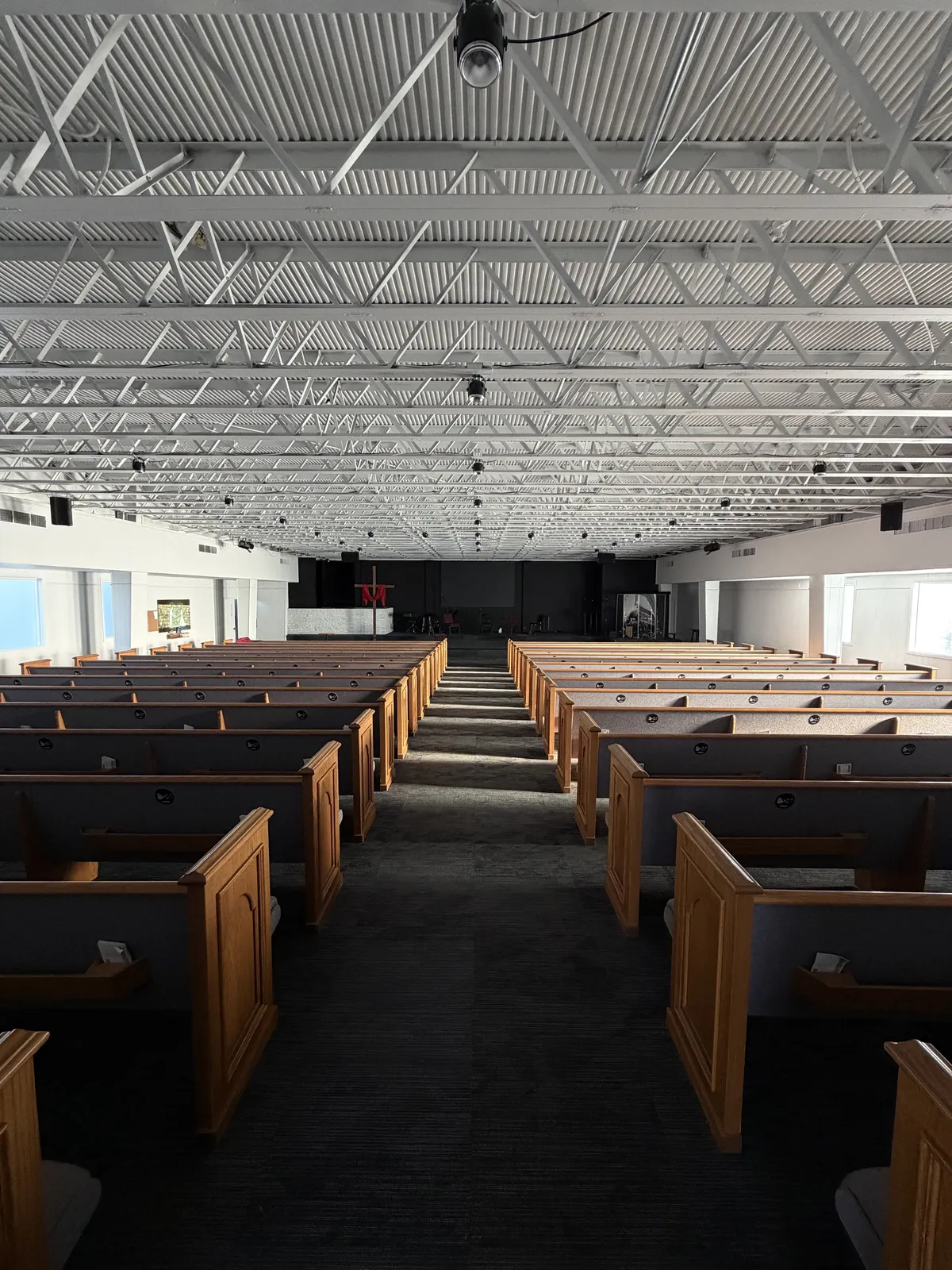
One per seat, mounted at the top of the pew back or attached to the chair behind. Centered horizontally so it’s clearly visible to the person sitting behind it. This is the highest-yield placement, the plate is in the giver’s line of sight during the entire service.
Mounting: Adhesive on wood pew backs.
Lobby & Welcome Desk
5-10 plates in the lobby catches first-time visitors before and after service. Mount one at the welcome desk and a few at standing eye-level on signage near the entrance. First-time visitors are often the people who would never download a giving app but will tap a plate out of curiosity.
Mounting: Adhesive on signage, screws on a kiosk.
Kids Check-In
Parents drop off kids in a hurry every Sunday and rarely make it back to the offering. A plate at the check-in desk gives them a 3-second giving window during pickup. Encode it with the same URL or a fund-specific giving page if your platform supports it.
Mounting: Adhesive on the desk surface near the iPad.
Coffee Bar & Connection Spaces
Wherever people stand and chat, put a plate within reach. Coffee bar, bookstore counter, info table. These are low-volume but high-fit moments, people are already lingering and moving slowly.
Mounting: Adhesive on countertops; consider a tabletop sign for visibility.
Placement Mistakes to Avoid
- Don’t group plates “in case people need one”, one per seat or it’s a hunting trip.
- Don’t mount on metal directly, NFC signal weakens through metal. Use the included spacer if needed.
- Don’t hide the plates behind hymnals, brochures, or other clutter on the pew back.
- Don’t skip the kids ministry area, you’ll be surprised how many parents give there.
Messaging: How to Introduce the Plates Without Being Awkward
Donation participation jumps when people understand the tool and feel zero pressure to use it. Here are scripts that have worked for churches we’ve worked with. Adapt the voice; keep the structure.
Launch Sunday Announcement (60 seconds)
“You may have noticed the small round plates on the back of every seat. Those are tap-to-give plates. If you’d like to give today, hold your phone near the plate, you don’t need to download anything or scan a QR code. It’ll open our giving page in a couple of seconds and you can give in whatever amount you feel led. If you’re visiting today, please don’t feel any pressure to give. We’re glad you’re here.”
Why it works: explains the mechanic, removes the QR code mental model, and explicitly removes pressure on visitors.
Standard Offering Cue (15 seconds)
“As we receive our tithes and offerings, you can give by tapping the plate in front of you with your phone, by texting GIVE to…, or by dropping a check in the basket as it passes.”
Why it works: lists the giving methods in order of friction (lowest first). Most people pick the first option they hear.
Slide Copy (during offering)
Header: Three Ways to Give
1. Tap the plate on your seat
2. Visit yourchurch.org/give
3. Place an offering in the basket
Why it works: the visual reinforces the verbal cue, and the URL covers anyone whose phone won’t register an NFC tap.
Mid-Week Email (after launch)
“Last Sunday we rolled out tap-to-give plates on every seat. If you missed how they work, or if your phone didn’t cooperate, here’s a 30-second video. They’re part of how we’re trying to make it easier to participate, however and whenever you give.”
Why it works: catches the people who weren’t paying attention without singling them out, and frames the rollout as a service to them.
The “See One, Do One” Effect
The first time a congregant sees their neighbor tap a phone and give, the tool stops being abstract. Visible giving normalizes giving. This is one reason NFC donation plates outperform invisible app-based giving so dramatically, a hidden tap on a phone in a lap doesn’t teach anyone anything; a tap on a plate in a pew teaches the whole row.
NFC vs. QR Codes, Tithely, and Subsplash
NFC donation plates aren’t a replacement for your giving platform, they’re a replacement for the friction in front of it. Here’s how they compare to the alternatives churches typically rely on.
| Method | Steps to Complete a Gift | Works for Visitors? | Recurring Cost |
|---|---|---|---|
| NFC donation plate | Tap, enter amount, Apple/Google Pay (3 steps) | Yes, instantly | $0 (one-time hardware) |
| QR code | Open camera, frame, tap notification, page loads, complete (5+ steps) | Yes, but slower | $0 (varies by platform) |
| Tithely app | Download, sign up, log in, navigate, give (7+ steps first time) | Almost never | $0 to $119/mo + 2.9% + $0.30 |
| Subsplash giving | Open Subsplash app or web, navigate, give (4-6 steps) | Rarely | Custom (typically $$$/mo + transaction fees) |
| Cash / check | Carry it, remember it, drop it in (variable) | Yes, if they brought it | $0 (declining usage) |
| Text-to-give | Open Messages, type number and keyword, send, click link, complete (5 steps) | Yes | Varies by platform |
The point isn’t that Tithely or Subsplash are bad. The point is that the giving page they host is the destination, not the on-ramp. NFC donation plates are the on-ramp, they get the giver to that page faster than any other method, including the platforms’ own native apps. If you’re already paying for a platform with built-in NFC tags (like Subsplash Tap or Donorbox TapTag), the math still favors a hardware-only provider: their plates are typically 2-3x the price and lock you into the platform.
For the deeper friction analysis, see our app-free church giving comparison.
What to Expect in the First 90 Days
Most churches see a clear arc once plates go live. Here’s what we’ve consistently observed across customer rollouts.
Curiosity & Adoption
10-25% of regular attendees use the plates the first Sunday. By week four, that climbs into the 40-60% range as the announcement repeats and people see neighbors tapping. First-time visitor giving spikes immediately.
New Behavior Becomes Normal
Total digital donations climb 30-100% over the pre-rollout baseline. Cash giving drops modestly (some shifts from cash to tap), but combined giving is meaningfully higher. The pastor’s offering cue gets shorter because the room already knows what to do.
Recurring Conversion
The first wave of one-time tap givers begins setting up recurring gifts via your platform’s normal flow. This is where the long-term lift compounds. Recurring givers donate ~42% more annually than one-time givers, and the path from a 3-second tap to a recurring schedule is shorter than from any other entry point.
Track the metrics that matter: total digital donations, in-service participation rate, recurring sign-ups, and first-time-giver count. Most giving platforms report all four. If yours doesn’t, that’s a signal worth its own conversation.
Ready to put NFC donation plates on every seat?
100 plates for $500. No monthly fees. No transaction fees from us. Works with the giving platform you already use.
Start a quote to get 10% off for 7 days
FAQ: NFC Donation Plates
How do NFC donation plates boost church giving?
NFC donation plates remove every step between intent and gift. A congregant taps their phone on the plate and lands directly on the church’s giving page in 2-3 seconds. No app, no QR scan, no URL typing. Churches typically see less friction in contactless donations and higher in-service participation at the point of collection.
Are NFC donation plates better than QR codes for church giving?
Yes. QR codes require opening the camera app, framing the code, waiting for focus, and tapping a notification. NFC requires one motion: tap your phone on the plate. The shorter the path, the more people complete the gift.
Do NFC donation plates work with Tithely, Subsplash, Pushpay, and Givelify?
Yes. NFC donation plates are platform-agnostic. The plate simply opens whatever URL you encode on it, your Tithely giving page, your Subsplash form, your Pushpay donation link, your Givelify page, or any web-based giving form. You keep your existing platform and add a faster on-ramp.
How many NFC donation plates does a church need?
Plan for one plate per seat in the main worship space. A 100-seat church orders 100 plates. A 400-seat church orders 400. Adding a small number to high-traffic areas (lobby, welcome desk, kids check-in) catches first-time visitors and parents in motion. Tap.Giving’s minimum order is 100 plates at $5.00 each.
What should a pastor say to introduce NFC donation plates from the pulpit?
Keep it short and warm. A 10-15 second cue works best: “If you’d like to give today, you can tap the plate on the seat in front of you with your phone. It opens our giving page in seconds.” Repeat it consistently, frame giving as worship rather than obligation, and let the plate do the rest.
Related Articles
How to Increase Online Giving at Your Church: 7 Proven Strategies
Practical strategies that move the needle on church giving, friction, NFC, recurring gifts, and the conversations that make them work.
StrategyChurch Giving Without an App: Why the Simplest Option Wins
Every app-free giving method ranked by friction. See why NFC tap-to-give outperforms QR codes, text-to-give, and kiosks.
InsightsWhy visitors can give with no app to install
First-time visitors won’t download an app, but they’ll tap a plate. Here’s the data and what it means for your welcome strategy.