Church Giving Without an App: Why the Simplest Option Wins
Half of all smartphone users download zero apps per month. If your giving strategy starts with “download our app,” you’ve already lost most of your congregation. Here’s every app-free giving method, ranked by friction.
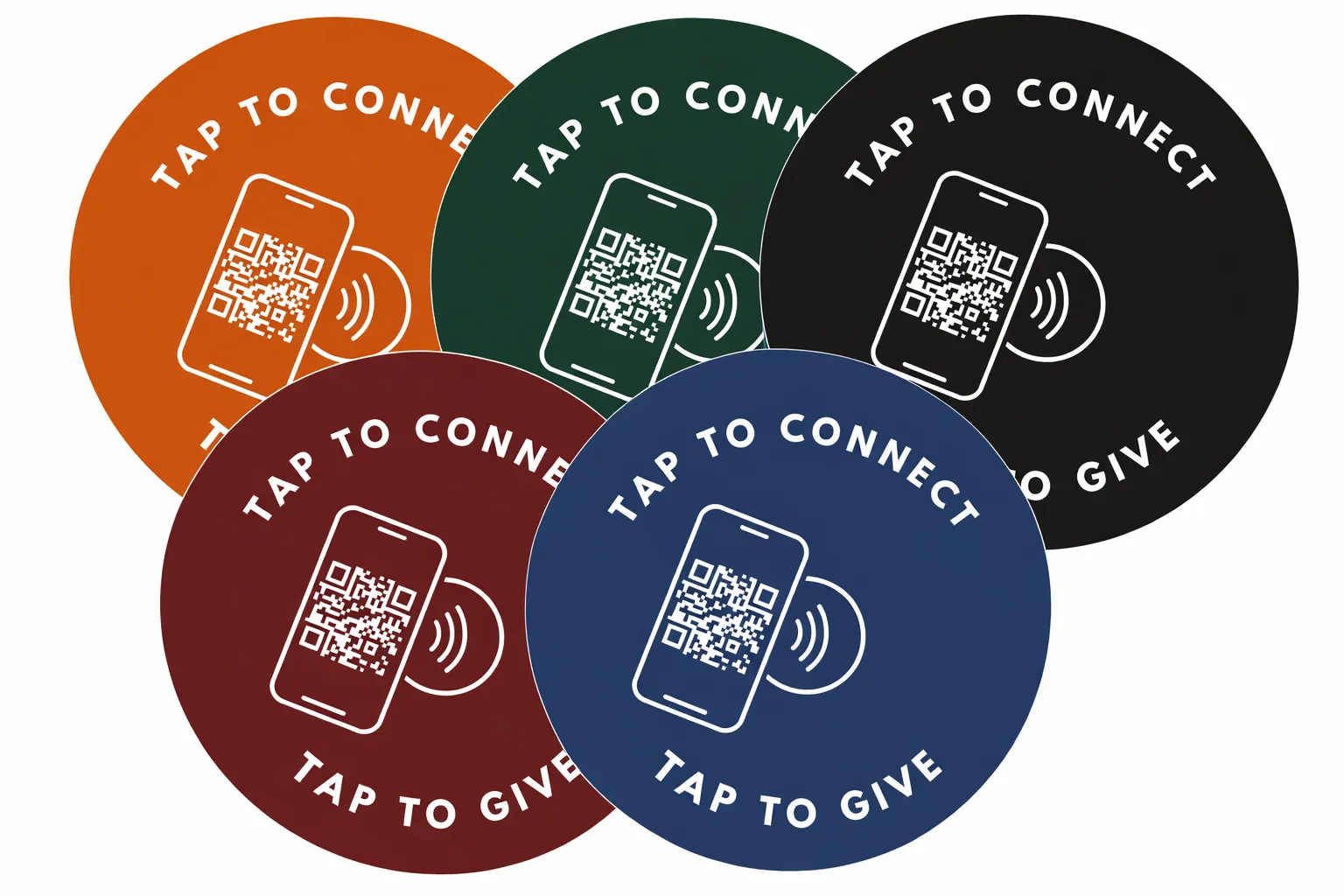
See your church's plate and price in 30 seconds
Design it yourself on the next page. From $3.50 per plate, free shipping, no monthly fees.
1. The App Fatigue Problem in Churches
The gap between willingness to give digitally (60%) and actual app-based giving reveals that the method, not the generosity, is the problem.
Let’s start with the numbers, because they tell a story church leaders need to hear.
According to AppsFlyer’s 2025 report, 46-48% of all apps are uninstalled within 30 days of download, and 49% of those uninstalls happen in the first 24 hours. BuildFire’s research shows that 62% of apps on the average smartphone go completely unused in any given month. People aren’t just reluctant to download new apps. They’re actively deleting the ones they already have.
Now apply that to your church. You announce a new giving app from the pulpit. You put it in the bulletin. You send an email. And then… maybe 20-30% of your regular attenders actually download it. The rest meant to, but forgot. Or they started the download, got distracted, and never opened it. Or they downloaded it, used it once, and it’s now buried on page four of their home screen next to that meditation app from January.
Subsplash’s research on church giving trends confirms this: only 24% of regularly attending churchgoers made even one digital donation in the previous year. That’s not because 76% of your church doesn’t want to give digitally. Pushpay’s data shows 60% of churchgoers say they’re willing to give digitally. The gap between willingness and action is friction, and apps are the biggest source of it.
The Visitor Problem
Picture this: Marcus visits your church for the first time on Easter Sunday. The worship is great. The sermon connects. During the offering, he reaches for his wallet, but he hasn’t carried cash in three years. A slide on screen says “Download our app to give!”
Marcus looks at it, thinks “I’m not downloading an app for a church I’ve visited once,” and the moment passes. Marcus was ready to give. Your giving method stopped him.
2. Every Way to Accept Church Giving Without an App
Churches can accept giving without an app through five methods: NFC tap-to-give (2-3 seconds), text-to-give (15-30 seconds), web giving pages, QR codes, and lobby kiosks. NFC plates offer the lowest friction because they require only a phone tap with no camera, URL, or account, the same gesture people already use with Apple Pay.
Not all app-free methods are created equal. Here’s every option available to churches today, ranked from lowest friction to highest.
NFC Tap-to-Give
Lowest FrictionAn NFC plate is mounted on the pew or chair in front of the giver. They tap their phone on the plate. Their browser opens directly to the church’s giving page. They give. That’s it.
Cost: With Tap.Giving, $3.50 to $5.00 per plate, one-time. No monthly fees. No transaction fees from us. Works with any giving platform.
Text-to-Give
Low to ModerateGiver texts a keyword (like “GIVE”) to a phone number. They receive a link via text, tap it, and give through their mobile browser. About 15-30 seconds.
Downsides: Requires a text-to-give subscription ($50 to $200/month). Visitors need to see and remember the number. Doesn’t work well with poor cell reception inside the building.
Mobile-Optimized Web Giving Page
ModerateChurch shares a URL (like “yourchurch.org/give”). Givers type it into their browser or tap a link from email. Takes 30-60 seconds and pulls attention from worship.
Downsides: Relies on the giver taking initiative. Easy to forget. Visitors won’t know the URL.
QR Codes
ModerateChurch displays a QR code on a bulletin, screen, or poster. Giver opens their camera, scans the code, and taps the link. 10-20 seconds, but doesn’t work well in dim sanctuaries.
The data: QR codes generate fewer steps less engagement than NFC in head-to-head tests. For the full breakdown, see our QR codes vs. NFC analysis.
Downsides: Poor in low light. Feels impersonal. Many people have “QR fatigue” from the pandemic era. Requires line-of-sight to the code.
Giving Kiosks
High FrictionA tablet or dedicated kiosk station in the lobby. Givers walk up, wait in line, and enter their gift on a shared device. Only works before or after the service, not during worship when the giving impulse is strongest.
Downsides: Expensive ($1,500 to $3,000+ per kiosk). Requires maintenance, Wi-Fi, and power. Limited to one location. Many people feel self-conscious using a kiosk for giving.
3. Why NFC Tap-to-Give Has the Lowest Friction
NFC outperforms every other app-free giving method because it requires zero steps between impulse and action, the plate is already on the pew, and one tap opens the giving page. With a 10-second window before the giving impulse fades, NFC’s 2-3 second interaction captures gifts that every other method loses to friction.
The reason NFC outperforms every other app-free method comes down to a single principle: the fewer steps between impulse and action, the more people act.
When someone decides to give during a service, you have about 10 seconds before that impulse competes with something else, checking a text, shushing a kid, thinking about lunch. Every step you add (open camera, type URL, find the keyword, walk to the kiosk) bleeds away that impulse.
NFC eliminates all of those steps. The plate is already there, on the pew in front of them. They tap their phone, something they do every day at the grocery store. The giving page opens. They give.
The Friction Spectrum
No download. No camera. No typing. No walking. No waiting.
That’s why the data shows visitors can give with no app to install. These aren’t people who would have downloaded an app. These are people who gave because the barrier was low enough that they actually did it.
4. The Real Cost of “Free” Giving Apps
“Free” giving apps typically cost churches $119 to $1,475/month in subscriptions plus 2.9% + $0.30 per transaction, totaling $7,140 to $88,500 over five years. NFC plates cost $500 once for 100 seats, serve 100% of attendees, and charge zero monthly or transaction fees.
Many giving apps market themselves as “free”, but that word does a lot of heavy lifting. Let’s break down what “free” actually costs.
- Platform: $119 to $1,475/month
- Transaction fees: 2.9% + $0.30/gift
- 5-year cost: $7,140 to $88,500
- Adoption: Not everyone carries cash
- Visitors: Won’t download an app
- Cost: $3.50 to $5.00/plate, once
- Transaction fees: $0 from us
- 5-year cost: $500 to $1,400 total
- Adoption: 100% of congregation
- Visitors: Works instantly, no setup
The Hidden Cost of Low Adoption
The other 76%, the ones who didn’t download the app, get nothing. NFC plates work for everyone, because there’s nothing to download.
A church with 200 seats can equip every chair with NFC for $800, once. That’s less than 7 months of a “free” platform’s paid tier. See our pricing.
5. What About Visitors and First-Timers?
Visitors will never download an app for a church they have attended once, making app-free giving essential for capturing first-time gifts. Data shows visitors can give with no app to install, people who gave because tapping a plate required no account, no download, and no prior relationship with the church.
This is where app-free giving goes from “nice to have” to essential.
Consider Lisa. She’s visiting your church for the first time because a coworker invited her. She’s not a regular churchgoer. She doesn’t know what Pushpay or Tithely is. She definitely isn’t going to download an app and create an account during the service.
But during the offering, she notices the small plate on the chair in front of her. She taps her phone out of curiosity. A giving page opens. She gives $20. No account. No download. No friction. That interaction took 10 seconds and is impossible with an app-based system.
Churches that prioritize first-time visitor engagement through NFC tap-to-give consistently see higher giving from people who have never given before. It’s what happens when you remove the biggest barrier to giving: requiring people to do something before they can give.
6. How to Set Up App-Free Giving at Your Church
Setting up church giving without an app is simpler than you might think. Here’s the process:
Keep Your Platform
Tithely, Pushpay, Givelify, keep what you have
Get Your Giving URL
The direct link to your online giving page
Order NFC Plates
We handle printing, encoding, and shipping
Mount & Announce
Full adoption within 2-3 weeks
No software to configure. No accounts to create. No training for volunteers. The plates work the moment they’re mounted. For a detailed rollout plan, see our church launch guide.
Ready to bring app-free giving to your church?
100 plates. $500. Free shipping. No monthly fees. Ever.
Start a quote to get 10% off for 7 days
7. FAQ: Church Giving Without an App
Do all phones support NFC?
Every iPhone since iPhone 7 (2016) and most Android phones since 2015 have NFC built in. That covers well over 95% of smartphones in use today. For a full breakdown, see our NFC giving tech guide.
What about recurring giving?
NFC plates open your giving platform’s page, which typically supports recurring giving setup. Someone can tap, set up a recurring gift through your platform, and never need the plate again, but the plate got them there.
Can we still use our giving app alongside NFC plates?
Absolutely. NFC doesn’t replace your app, it gives the other 76% of your congregation a way to give without one. Members who love the app keep using it. Everyone else gets a frictionless alternative.
The Simplest Path Wins
Church giving shouldn’t require a download, an account, a password, or a learning curve. The data is clear: the simpler you make it to give, the more people give. And nothing is simpler than tapping a phone on a plate.
For churches that want to reach the 76% of their congregation that hasn’t downloaded a giving app, and the 100% of visitors who never will, NFC tap-to-give is the answer. One-time cost. No monthly fees. Works with your existing platform. And it starts working the moment the plates are mounted.
Related Articles
QR Codes vs NFC Tap-to-Give: Why Churches Are Making the Switch
NFC generates fewer steps than a QR code. See the full head-to-head comparison for church giving.
InsightsFirst-Time Visitors and NFC Giving: Capturing the Moment
Learn how tap-to-give turns visitors into givers without any barriers.
InsightsNFC Giving for Small Churches: Big Results on a Tight Budget
100 plates for $500 covers your whole church. See why small churches actually benefit more from tap-to-give.