How Tap to Give Works for Churches: A Plain-English Walkthrough
Tap-to-give sounds technical, but the actual experience is closer to tapping a credit card at a coffee shop than learning new software. Here’s what happens when a church member taps a plate, what’s inside the plate, and what your church has to do to make it work, explained for pastors and board members, not engineers.
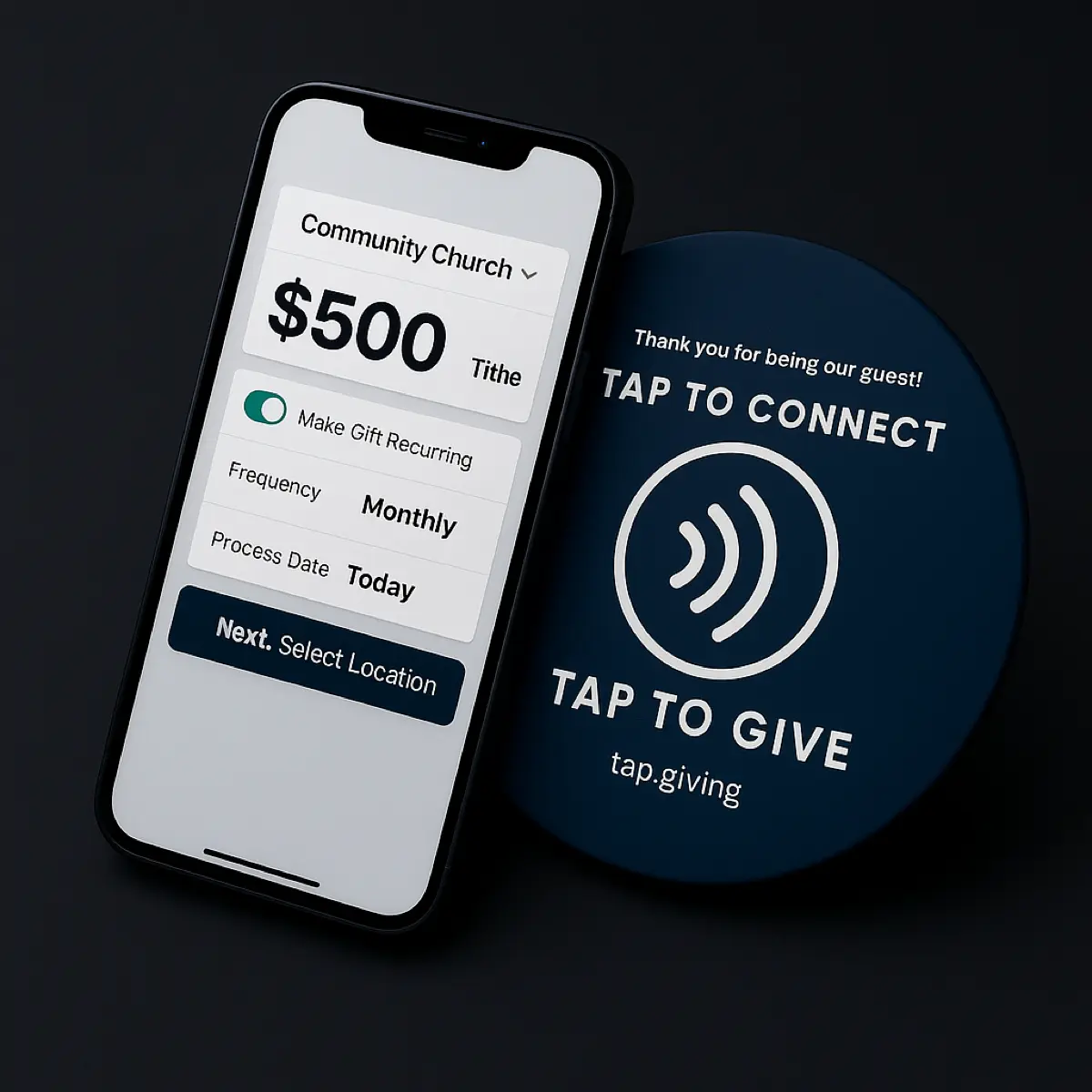
See your church's plate and price in 30 seconds
Design it yourself on the next page. From $3.50 per plate, free shipping, no monthly fees.
What the Giver Experiences (Eight Seconds, Start to Finish)
Start here, because the giver’s experience is the whole product. A church member is sitting in the third row. The offering is announced. There’s a small wooden-look plate clipped to the pew back in front of them with the church logo and the words Tap to Give.
They pick up their phone and hold it near the plate.
No unlocking required. The phone doesn’t need to be on a particular app or screen. On iPhone, the top edge of the phone reads NFC. On Android, the back of the phone does.
A small banner appears on the phone screen.
It shows the church’s giving page URL with a tap-to-open prompt. The giver taps it.
The church’s existing giving page opens in their browser.
Whatever your church already uses, Tithely, Pushpay, Subsplash, Donorbox, Givelify, Anedot, Nucleus Giving, loads up looking exactly as it does for anyone giving online.
They choose an amount and pay.
If the page supports Apple Pay or Google Pay (most do), the giver confirms with FaceID, a fingerprint, or a passcode. If not, they type a card. Either way, the donation flows into the church’s normal giving platform.
The total time, for a first-time giver, is about eight seconds. No app store. No signup. No login. No QR scan. No URL to type. The giver doesn’t have to remember anything afterward, the church’s platform sends them a receipt by email.
What’s Actually Inside the Plate
The plate is simpler than people expect. It’s a 4-inch printed disc with a tiny chip and an antenna laminated into the middle. That’s the whole device.
What it has
- An NFC chip about the size of a grain of rice
- A thin copper antenna in a spiral around it
- A printed top layer (your logo + “Tap to Give”)
- An adhesive or screw-mount back
- A QR code printed on the front as a fallback
What it doesn’t have
- No battery (it’s powered by the phone)
- No Wi-Fi or Bluetooth radio
- No payment information stored on it
- No internet connection of its own
- No moving parts to wear out
The chip stores one thing: a web address. For your church, that’s the URL of your existing giving page, something like tithe.ly/give_new/www/#/tithely/give-one-time/12345 or faithcommunity.churchcenter.com/giving.
When a phone comes within an inch or two, the phone’s NFC reader sends out a small magnetic field. That field powers the chip in the plate for the half-second the phone is close, and the chip uses that power to transmit the URL back to the phone. The phone shows it as a notification: Tap to open giving page. That’s the entire technical interaction.
Same chip standard as Apple Pay and Google Pay
NFC is the same technology your members already use to tap a card or phone at a coffee shop. If a phone can tap to pay, it can tap a plate. That’s why no setup is required on the giver’s side, NFC reading is on by default on every iPhone since 2018 (iPhone XS) and every mainstream Android phone of the last decade.
Where the Money Goes (and What Tap.Giving Doesn’t Touch)
This is the most common point of confusion, so it’s worth stating plainly: Tap.Giving is not a payment processor. We sell hardware. The money never flows through us.
The actual money path, step by step
- Giver taps the plate. The plate hands their phone a URL.
- The phone opens your giving page (Tithely, Pushpay, etc.).
- The giver enters an amount and pays with Apple Pay, Google Pay, or a card.
- Your giving platform processes the payment through its own processor (usually Stripe or a Stripe-like service).
- Your giving platform deposits the donation to your church’s bank account on its normal schedule.
- The platform’s normal transaction fee applies (typically 2.9% + $0.30). That fee goes to the platform, not to us.
At no point do we see the donation. We don’t hold any donor data. We don’t need access to your giving platform. The plate is a sign-post pointing at a URL you already have; the URL does what it already does.
The upside of this model is that your reporting, receipting, donor management, recurring schedules, and PCI compliance all stay exactly where they are. Adding plates doesn’t require switching anything. The downside is that we can’t answer questions about a specific donor’s gift, your platform owns that data, not us.
What the Church Has to Set Up
The setup is shorter than installing a new printer. Here’s the full list, in order.
1. Confirm your giving URL
Open your existing giving page on a phone. Make sure it loads quickly, looks right on mobile, and lets a guest give without an account. If it doesn’t, fix that first, we have a playbook for the most common fixes. The plates only matter if the page they open is good.
2. Send us your logo and URL
Add a vector logo file (.ai or .svg) and the exact giving URL in the design tool. The editable proof updates instantly, and manufacturing begins only after artwork approval.
3. Wait 2-3 weeks for delivery
Production runs about a week; shipping from our manufacturer takes another week or two. We pad the estimate so you’re not surprised. Smaller churches usually have plates in hand before the next stewardship season; larger churches plan around Easter or Christmas.
4. Mount them
Adhesive back for pews or pre-drilled holes for screws. Most volunteer teams can mount 200 plates in 60-90 minutes. We have a step-by-step mounting guide for chair installs specifically.
5. Announce and demonstrate from the stage
A 30-second demo on a Sunday morning is the single most valuable thing you’ll do. People won’t use a plate they don’t understand, and the demo erases the hesitation in one weekend. We ship a launch kit (script, slides, a few troubleshooting tips for guests with older phones) at tap.giving/launch.
That’s it. There’s no software to install, no integration to maintain, no accounts to create. The plates work the day they arrive.
How It Works with Tithely, Pushpay, Subsplash, and Others
Because the plate is just a URL, it works with any giving platform that gives you a mobile-friendly giving page. In practice, that’s every modern platform. Here’s how to find the right URL on the most common ones.
| Platform | Where to Find the URL | Works with NFC? |
|---|---|---|
| Tithely | Your church’s public giving page (tithe.ly/give?c=YOUR_ID) | Yes |
| Pushpay | Your branded giving URL (pushpay.com/g/YOUR_CHURCH) | Yes |
| Subsplash | Web giving link inside your Subsplash dashboard | Yes |
| Givelify | Your Givelify org page (givelify.com/donate/YOUR_CHURCH) | Yes |
| Donorbox | Your hosted campaign URL (donorbox.org/YOUR_CAMPAIGN) | Yes |
| Anedot | Your hosted donation form URL | Yes |
| Planning Center Giving | Your Church Center giving URL (YOUR_CHURCH.churchcenter.com/giving) | Yes |
| Nucleus Giving | Your Nucleus giving URL or homepage with the Launcher overlay | Yes |
If your platform isn’t on this list and you have a mobile-friendly giving page somewhere on the internet, the plates will work with it. The chip doesn’t care which platform is on the other end of the URL.
What It Costs
There are two costs to think about, and they’re not the same as the cost of a giving platform subscription.
The plates (from us, one-time)
- 100-199 plates: $5.00 each
- 200-399 plates: $4.00 each
- 400+ plates: $3.50 each
- Free shipping, no setup fees, no monthly fees
- The first-order discount is 10% for 7 days from the quote
Per-transaction (from your platform, unchanged)
- Typically 2.9% + $0.30 per donation
- This is what your giving platform already charges
- Adding plates doesn’t change it
- We charge $0 in transaction fees, ever
A church of 200 seats ordering 200 plates pays $800 once. That’s the entire spend. No second year. No surprise renewal. The cost-per-seat works out to roughly the price of a single donation envelope refill, but the plate keeps working for years.
For a full pricing table and quantity breaks up to 1,000+ plates, see our pricing page.
Ready to add tap-to-give to your church?
One-time hardware cost. No monthly fees. Works with the giving platform you already use. Most churches are tapping by week three.
Start a quote to get 10% off for 7 days
FAQ: Common Questions Before Ordering
How does tap-to-give actually work?
Each plate contains a tiny NFC chip programmed with your church’s giving page URL. When a phone is held within an inch or two of the plate, the phone reads the chip and offers to open that URL in the phone’s web browser. The giver taps the notification, enters an amount, pays with Apple Pay or Google Pay (or a card), and the donation flows straight into your existing giving platform. The plate is passive, it has no battery, no Wi-Fi, and no moving parts.
Does the giver need to download an app?
No. The plate opens a web page in the phone’s existing browser. There is no app on the giver’s side and no app on the church’s side. This is the single biggest reason tap-to-give converts first-time visitors better than app-based giving, they don’t have to download anything to give.
Do I need a new payment processor or giving platform?
No. Tap.Giving sells the hardware only. The plates open whatever giving page you already use, Tithely, Pushpay, Subsplash, Donorbox, Givelify, Anedot, Nucleus Giving, or any other platform with a mobile-friendly giving URL. Your existing platform handles the payment, the receipt, the donor record, and the deposit to your bank.
Which phones work with tap-to-give?
Every iPhone from the iPhone XS (2018) onward, and virtually every modern Android phone, reads NFC without any setup. On iPhone, NFC reading is on by default, the user just holds the top of the phone near the plate. On Android, NFC is usually on by default in Settings under “Connections” or “Connected devices.” The same chip standard powers Apple Pay and Google Pay, so any phone that can tap to pay at a store can tap your plate.
What does tap-to-give cost a church?
Tap.Giving plates are a one-time purchase: $5.00 each for 100-199 plates, $4.00 each for 200-399, and $3.50 each for 400 or more. There are no monthly fees, no setup fees, and no transaction fees from us. The church’s existing giving platform charges its normal processing fee (typically 2.9% + $0.30 per transaction), that doesn’t change when you add plates.
Is tap-to-give secure?
The plate itself is just a URL, there’s no payment information stored on the chip. The actual donation happens on your giving platform’s secure, PCI-compliant page, the same place your members already give online. When the giver uses Apple Pay or Google Pay, their real card number is never shared with the church or the giving platform; only a one-time encrypted token is used. The security profile is identical to your platform’s normal mobile giving, adding a plate doesn’t change it. For the full breakdown, including why the plates ship locked, see our guide on whether tap-to-give is safe for churches.
What happens if someone taps but doesn’t have a phone capable of NFC?
Tap.Giving plates ship with a QR code printed on the front as a fallback. Older phones, kids’ devices, or anyone who can’t get the NFC tap to register can scan the QR code with their camera and land on the same giving page. Functionally there’s no difference for the giver, just two ways to reach the same URL.
Related Articles
NFC Giving Explained: A Church Tech Team’s Complete Guide
The technical companion to this post: chip standards, phone compatibility, locking, and troubleshooting.
StrategyHow to Boost Church Giving With NFC Donation Plates
A 4-week deployment plan, setup, placement, and pulpit scripts, for using NFC plates to lift in-service participation.
StrategyChurch Giving Without an App: Why the Simplest Option Wins
Every app-free giving method ranked by friction. See why NFC tap-to-give outperforms QR codes, text-to-give, and kiosks.