Cash App for Churches vs Tap.Giving: 5-Year Cost Compared (2026)
A lot of small churches start with Cash App because it feels free. It is not free. Once a church plugs in the actual fee rate and the missing tax receipt, the math looks different. Here is the side-by-side a board member can read in ten minutes.
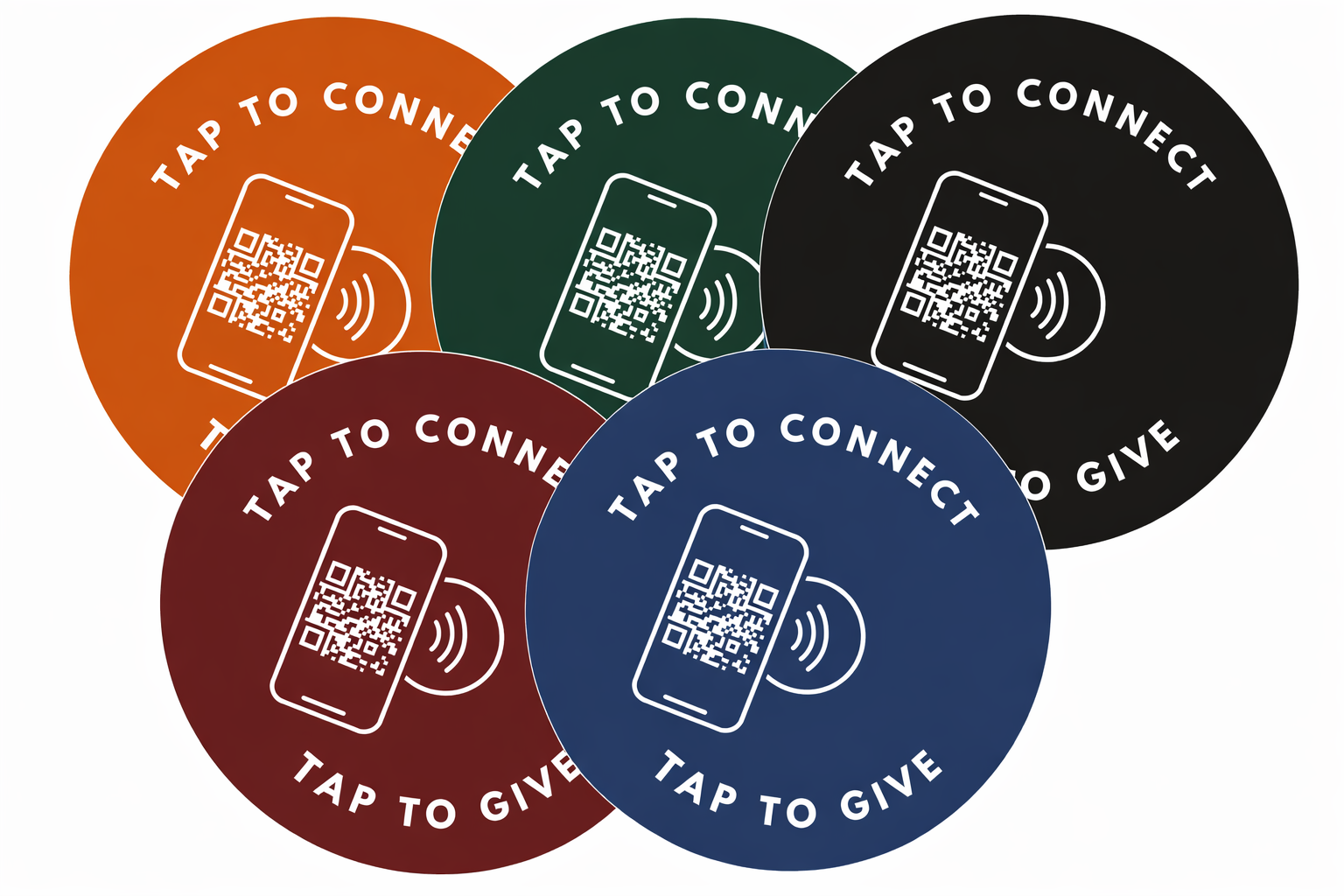
Short answer: Cash App for Business charges churches 2.75% per donation and does not issue tax-deductible receipts. A 200-seat church processing $3,000 a month online pays about $990 in Cash App fees per year, or roughly $4,950 over 5 years. Tap.Giving plates are a one-time $800 hardware purchase that opens whatever nonprofit-grade giving page (Tithely, Pushpay, Donorbox, Anedot, Stripe) already handles receipts properly.
5-Year Number to Remember
$4,950
What a 200-seat church spends on Cash App for Business processing fees over 5 years at $3,000 a month of online giving. The plates that capture in-room giving on the same setup cost $800 once.
See your church's plate and price in 30 seconds
Design it yourself on the next page. From $3.50 per plate, free shipping, no monthly fees.
The Short Answer in Dollars
Cash App is a peer-to-peer payment app with a small-business product layered on top. Tap.Giving is hardware for the moment of the offering. They are not the same product, and the most useful comparison is what each one actually does for a church and what each one actually costs.
If your church accepts donations through a $cashtag, you are running a Cash App for Business account, and you are paying 2.75% per transaction. The personal Cash App version is free, but using it to accept church donations puts the account at risk of being flagged and frozen, because the activity does not look personal. The business tier is the legitimate path, and the business tier charges fees.
NFC tap plates are not a payment processor. They open whatever giving URL the church already uses, so tap to give and tap to donate work with any nonprofit-grade platform on the other end. The decision a church really faces is two separate questions: which platform handles the money (and issues receipts), and what physical experience lives on the seat backs during the offering. Cash App can answer the first question for a season. It cannot answer the second one, and most churches outgrow its answer to the first one too.
The takeaway, in one sentence:
Cash App is fine for emergency week-one giving. For year-round digital giving for churches with real tax receipts and an in-room tap to give experience, swap Cash App for a nonprofit-grade platform and put NFC tap plates on the seats.
What Cash App Actually Charges Churches
Block (the company behind Cash App) publishes its business fee schedule openly. The short list looks deceptively cheap, and the long list is where the real cost lives.
What Cash App charges (public 2026 rates)
- 2.75% per incoming business transaction
- 0.5% to 1.75% for instant deposit to bank (min $0.25)
- $0 for standard deposit (1 to 3 business days)
- $0 monthly fee, $0 setup fee
- 3% surcharge if a giver funds the payment with a credit card
What that looks like for a 200-seat church
- $3,000/mo of online giving, 2.75% rate
- $82.50/mo in business processing fees
- $990/yr at typical online giving volume
- $4,950 over 5 years, all in fees
- Plus the staff hours spent on manual receipts
The 2.75% rate is actually competitive against most consumer payment apps, and it is lower than what some church giving platforms charge once you stack a monthly subscription on top. Cash App wins on sticker price. It loses on everything that happens after the payment lands. Our Stripe vs Tithely breakdown compares the same rate against two of the cheapest nonprofit-grade options.
Where Cash App Falls Short for a Church
Cash App was built for splitting brunch and paying a babysitter. It was not built for the donor records, year-end statements, recurring giving, or audit substantiation that a real church relies on. Here is what is missing, in plain language.
- No IRS-formatted tax receipts. Cash App for Business statements do not include the donor address, the church EIN, or the contemporaneous written acknowledgment language that gifts of $250 or more require. Year-end giving statements have to be assembled by hand or rebuilt in a spreadsheet.
- No donor record. Cash App shows a payer name and amount, not a full profile. A church cannot track a donor's lifetime giving, send pastoral follow-up to a first-time giver, or pull a report of who gave in May without exporting and matching by hand.
- No native recurring giving. The giver has to remember to send each gift. Recurring giving is the line item that stabilizes most church budgets, and Cash App does not have it.
- No NFC giving in the room. Cash App does not sell tap plates, tap tags, or any tap technology for churches.
- No giver-side guarantee that it is the church. A $cashtag is a string a giver types or scans. There is no verified-nonprofit badge on the Cash App side, so first-time visitors hesitate before sending money to a name they do not recognize.
The Pew Research Center has documented for years that over 97% of US adults own a mobile phone, and most of those phones support contactless giving by default. The bottleneck is not the phone, it is whether the in-room path is one tap or six.
The 5-Year Cost Table, Side by Side
Numbers below assume a 200-seat US church that processes about $3,000 a month online (a typical figure for that size in 2026), with an average gift of $60 and about 50 online transactions a month. Rates are public, the math is plain. The Tap.Giving column assumes you replace Cash App with a free nonprofit-grade processor (Donorbox or Anedot) and add tap plates on every seat.
| Line item | Cash App alone | Tap.Giving plus a nonprofit processor |
|---|---|---|
| One-time hardware | $0 | $800 (200 plates at $4.00) |
| Monthly subscription | $0 | $0 (Donorbox/Anedot free tier) |
| Per-transaction fee | 2.75% (about $82.50/mo) | Roughly 2.2% to 2.9% + $0.30 per gift |
| 5-year processing fees | About $4,950 | About $5,220 on the same base |
| Tax receipts | Manual | Automatic, IRS-formatted |
| In-service participation | Remember the URL later | Give in the seat |
| 5-year total spend on tools | $4,950 | $6,020 |
The extra spend is about $214 a year, or $18 a month, to add proper receipts, recurring giving, and a tap to donate path on every seat as part of the church giving technology stack. Our ROI math walks the payback period at 100, 200, and 400 seats.
For a direct apples-to-apples on the processor side, our PayPal vs Tap.Giving breakdown runs the same five-year math against PayPal's nonprofit Donate product, which is the next cheapest free-monthly option.
Feature Comparison: Cash App vs Tap.Giving
A row-by-row look. The shorthand: Cash App is a processor that does not produce donor records, Tap.Giving is hardware that does not process money, and the two cover different jobs. Most churches need both functions, just not from these two products on their own.
| Capability | Cash App for Business | Tap.Giving |
|---|---|---|
| Processes payments | Yes | No (hardware only) |
| Sells NFC tap plates | No | Yes |
| Monthly fee | $0 | $0 |
| Per-transaction fee | 2.75% | $0 (we do not touch the money) |
| IRS-formatted tax receipts | No, manual | N/A (handled by your platform) |
| Recurring giving | No | N/A (depends on the URL) |
| In-service tap experience | No native NFC option | Yes, 1 tap, no app |
| QR code fallback | External sign only | Yes, printed on every plate |
| Works with any giving platform | No, Cash App only | Yes, any platform with a mobile URL |
When Cash App Alone Is the Right Call
We sell plates, but plates and a real platform are not the answer for every situation. Be honest about a few cases where Cash App as the only setup makes sense for a season.
- Pre-launch church plants taking their first 30 days of giving. When the priority is getting one real donation in before the bank account is fully open, a $cashtag works. Plan to swap it out before the second month.
- Pop-up congregations and house churches under 30 attendees. Below 30 people the receipt workload is small enough to handle manually, and there is no permanent seating to mount plates to anyway.
- Emergency or short-term capital fundraisers. If a roof leaks Saturday night and the church needs a way to take $500 by Sunday afternoon, a $cashtag posted on the screen is fine for one week. Move it to a real platform before the campaign hits 30 days.
- Youth or small group gifts that do not need a tax receipt. Pizza fund, retreat deposit, mission trip last-minute add-ons. The donor is not claiming a deduction, the receipt is not material, Cash App is fine.
For everyone else (a permanent room with seats, year-round giving, members who want tax receipts), a nonprofit-grade processor plus NFC tap plates on every seat is the combo that turns a free-feeling setup into a real one.
How to Move Beyond Cash App Without Disrupting Givers
The migration is shorter than most church tech projects. Five steps, no integration work, no API keys, no data import drama.
1. Pick a free nonprofit-grade processor
Donorbox and Anedot both run free for the platform itself and only charge the card processor pass-through. Tithely's free Basic plan is a third option. Our ranked roundup walks the trade-offs.
2. Stand up the new giving URL
Get a mobile-friendly giving page live, test a $1 donation on a phone, confirm the receipt lands in the donor's inbox. Do not order plates until the URL is final, the chip stores whatever URL you point it at and you do not want to redo the order.
3. Order Tap.Giving plates with the new URL encoded
Send a vector logo and the new giving URL. Plates are $5.00 each at 100 to 199, $4.00 each at 200 to 399, and $3.50 each at 400 or more. Free shipping, typical delivery 2-3 weeks from artwork approval. Full pricing or start an order.
4. Announce the swap, keep Cash App live for one month
Tell givers from the stage that the new way to give is by tapping a plate or visiting the new URL. Leave the old $cashtag printed in the bulletin for one month so habitual givers do not get stranded.
5. Mount plates and demo from the pulpit
A 30-second demo on a Sunday morning is the single most important thing you will do. The full walkthrough covers the giver experience step by step, and the sizing guide tells you how many to order.
That is the whole project. No integration, no data migration, no API keys, no Stripe Connect onboarding. The plates work the day they arrive, the new platform handles the receipting from day one, and the Cash App fallback can stay live for 30 days while the congregation adjusts.
Outgrow Cash App. Add tap to give to every seat.
One-time hardware cost. No monthly fees. Works with whichever nonprofit-grade giving platform you choose, Donorbox, Anedot, Tithely, Pushpay, or your own Stripe checkout. Most churches are tapping by week three.
Start a quote to get 10% off for 7 days
FAQ
Does Cash App charge churches fees?
Yes. A church accepting donations through Cash App needs a Cash App for Business account, which charges 2.75% per transaction on incoming payments. Instant deposits to a bank account add another 0.5% to 1.75% with a $0.25 minimum. Standard deposits to a linked bank are free but take 1 to 3 business days. There is no monthly fee, but the per-transaction cost adds up: $3,000 of monthly giving costs roughly $82.50 in Cash App fees per month, or about $990 a year.
Can churches issue tax-deductible receipts through Cash App?
Cash App does not issue donor receipts in the format the IRS expects for tax-deductible contributions. Cash App for Business statements show payer name, amount, and date, but not the donor address, the church EIN, or the contemporaneous written acknowledgment language that 501(c)(3) gifts over $250 require. Churches relying on Cash App need to generate receipts separately, in a spreadsheet, in a church management system, or by hand. Nonprofit-grade giving platforms like Tithely, Pushpay, Donorbox, and Anedot handle receipting automatically.
Does Cash App support NFC tap-to-give?
Cash App does not sell NFC plates, tap discs, or any in-service tap hardware for churches. The Cash App for Business product is built for peer-to-peer style payments and small-business sales, not for the moment of the offering. To accept a tap during a Sunday service, you need a separate NFC product. Tap.Giving plates open whatever giving page your church already has, including a Cash App $cashtag URL.
Can I program a Tap.Giving plate to open a Cash App link?
Yes, technically. Each NFC tap plate is programmed with one URL, and that URL can be your church's $cashtag link (cash.app/$YourChurch). When a member taps the plate, the phone opens the Cash App page in the browser, prompts the giver to send an amount, and routes the payment through Cash App. The chip does not care which platform handles the money. We do not recommend Cash App as the destination for most churches because of the receipt and reporting gap, but the plate itself is platform-agnostic.
How many NFC tap plates does a church need?
The rule of thumb is one plate per seat. A 200-seat sanctuary orders 200 plates, a 400-seat sanctuary orders 400. Plates are $5.00 each at 100 to 199, $4.00 each at 200 to 399, and $3.50 each at 400 or more. A 200-seat church spends $800 once, less than what a year of Cash App processing fees runs at typical online giving volume. Our sizing guide walks the math by congregation size.
What is the cheapest way to replace Cash App at a church?
For most churches the cheapest nonprofit-grade replacement is a free Donorbox or Anedot account paired with NFC tap plates. Donorbox is free to set up and charges 1.5% plus the card processor fee for nonprofits on its standard plan. Anedot is free for the platform itself and passes the processor cost through. Either pairs with Tap.Giving plates so the in-room giving experience is one tap, and donors receive a properly formatted tax receipt automatically.
Is Cash App safe for church donations?
Cash App for Business is encrypted and PCI-compliant for the payment itself, the same as any consumer payment app. The risk for churches is not the payment, it is the lack of donor data and receipt infrastructure. Without donor records, year-end statements are manual. Without the IRS-formatted acknowledgment, large gifts may not be substantiated if a donor is audited. Most churches outgrow Cash App not because of security but because of donor management gaps.
Related Articles
PayPal for Churches vs Tap.Giving (2026)
The other cheap processor most churches start with. Five-year fee math against PayPal's nonprofit Donate product.
GuideBest Online Giving Platforms for Churches in 2026
A ranked roundup of the nonprofit-grade platforms most US churches actually use, with pricing and trade-offs.
GuideNFC Giving ROI: The Church Numbers That Matter
Real dollar payback math for adding NFC tap plates: how fast they pay for themselves at 100, 200, and 400 seats.