Tap to Give with Blackbaud: Church Setup
Your church already collects gifts through Blackbaud. Adding tap-to-give plates does not move any of that. It just puts your Blackbaud giving page one tap away from every seat. Here is the whole setup, start to finish.
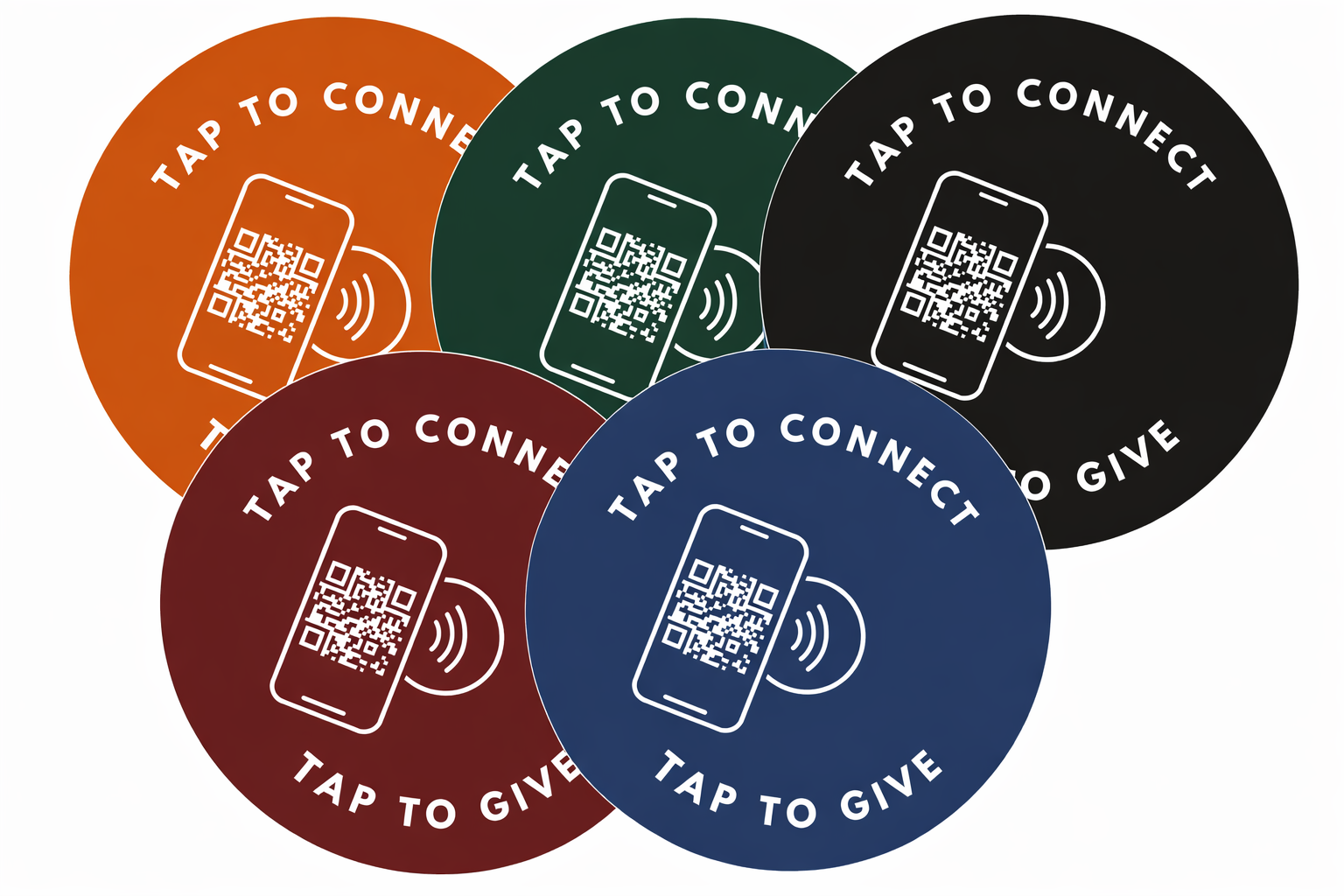
A church using Blackbaud keeps its existing Blackbaud online donation form or giving page. Tap.Giving plates are hardware that point a phone tap at that giving page's public web URL, so your Blackbaud forms, funds, and processing stay exactly as they are. You order the plates once, mount them, and the giver taps a phone to open your Blackbaud page with no app to download.
See your church's plate and price in 30 seconds
Design it yourself on the next page. From $3.50 per plate, free shipping, no monthly fees.
1. Find your Blackbaud giving page URL
The URL you need is the public web address of your Blackbaud donation form, the same page a member reaches when they give online today. That single link is the only thing the plate has to know.
Open your church website and click your own "Give" button on a phone. Whatever page loads is the page the plate should open. Copy that address from the browser bar. It is usually a hosted Blackbaud donation form or a giving page your Blackbaud site publishes for public use.
Test it before you send it to us: it should load fast on mobile and let a first-time guest give without logging in. If your page passes that test, you are ready to order.
2. Order your plates
Order one plate per seat where you want giving within arm's reach, with a minimum of 100. Send your church logo as a vector file and the Blackbaud giving URL from step one, and we build a proof of your actual plate.
One-time plate pricing
- 100-199 plates: $5.00 each
- 200-399 plates: $4.00 each
- 400 or more plates: $3.50 each
- Free shipping, no setup fees, no monthly fees, no transaction fees from us
Here is the math for a 150-seat church: 150plates x $5.00 = $750 one-time, free shipping. That is the whole cost. There is no renewal and no per-gift fee added on our end, because Tap.Giving is hardware, not a payment processor. Your Blackbaud processing fees stay exactly what they are today.
Delivery is typically 2-3 weeks from artwork approval, and the 10% first-order offer expires 7 days from the quote. For every quantity break, see our pricing page.
3. Mount them
Attach a plate wherever a phone can reach it during the offering: pew backs, chair backs, or seat-back pockets. Each plate ships with adhesive backing, or with pre-drilled holes for screws if you want a permanent hold on wood.
A volunteer team can mount a few hundred plates in an hour or two. The plate is passive: no battery, no wiring, no pairing. It works the day it arrives.
4. Announce it from stage
Tell the congregation what the plates are and demonstrate one tap from up front. A 30-second demo on a Sunday morning is the single highest-return thing you will do, because people do not use what they have not seen work.
Give one sentence during the offering: "If you would like to give, hold your phone to the plate in front of you and it will open our giving page." We include a launch kit with a script and slide at how it works so first-timers know exactly what to do.
5. Track results
Track every tap gift inside Blackbaud, because that is where the money still flows. A tap opens your existing donation form, so those gifts land in the same funds, the same reports, and the same donor records you already use.
Watch your Blackbaud reporting in the first month for new first-time givers, then thank them and invite them into recurring giving. The plate is the front door; your Blackbaud account is still the ledger.
Things to know about Blackbaud
Blackbaud provides church and nonprofit management software along with hosted online giving. The detail that matters for tap-to-give is that Blackbaud giving happens in a web browser, so a tap can open it with nothing to install.
Use your public hosted form URL
Point the plate at the public-facing Blackbaud donation form or giving page, not at an internal admin or login screen. If you are unsure which link is the public one, use the exact address that loads when you click your own "Give" button as a guest.
Blackbaud giving is browser-based, so no app is needed
Because your Blackbaud giving page opens in the phone's own browser, the giver never downloads anything. The tap hands the phone your URL, the page loads, and they give the way they already do online.
Point a plate at a specific fund or form if you want
If Blackbaud gives you a direct link to a specific fund, campaign, or form, you can encode that exact link so a tap lands on the right designation. Most churches point every plate at their general giving page, but a building-fund plate at the welcome desk is easy to do.
Re-pointable smart links protect you from a URL change
Blackbaud form URLs can change over time. To keep a plate useful even if that happens, we offer a go.tap.giving smart link: the plate points at a short link you control, and you can re-point it to a new Blackbaud URL later without reprinting a single plate. It is free on orders of 400 or more, and a $50 per year add-on below that.
None of this asks you to change Blackbaud. The plate is a shortcut to the page you already run.
See your Blackbaud church's plate before you buy
Preview a real plate with your name and giving link on it in seconds. One-time cost, free shipping, and it works with the Blackbaud page you already use.
Start a quote for 10% off, which lasts 7 days from the quote
Related Articles
How Tap to Give Works for Churches
A plain-English walkthrough of the giver experience, what is inside the plate, and where the money goes.
ComparisonTap to Give Platform Comparison
How tap-to-give hardware fits alongside the major church giving platforms, side by side.
GuideChurch Giving Technology Guide
A pastor's overview of the tools that move church giving, and how to choose without overpaying.