Cash App Tap to Give at Your Church: The Setup Guide
Plenty of churches already collect through a Cash App $cashtag. The missing piece is the moment of the offering, when a member is holding a phone and needs one obvious thing to do. Here is how to put Cash App tap to give on every seat.
Short answer: yes, you can set up Cash App tap to give at your church. Program an NFC tap plate with your church's Cash App link (cash.app/$YourChurch), mount one on each seat, and a member taps their phone to open the giving page in about 8 seconds, no app required. Plates are a one-time $3.50 to $5.00 each with no monthly fees, and the same plate keeps working if you later switch to a platform that issues automatic tax receipts.
The math that makes the tap worth it
$750 once
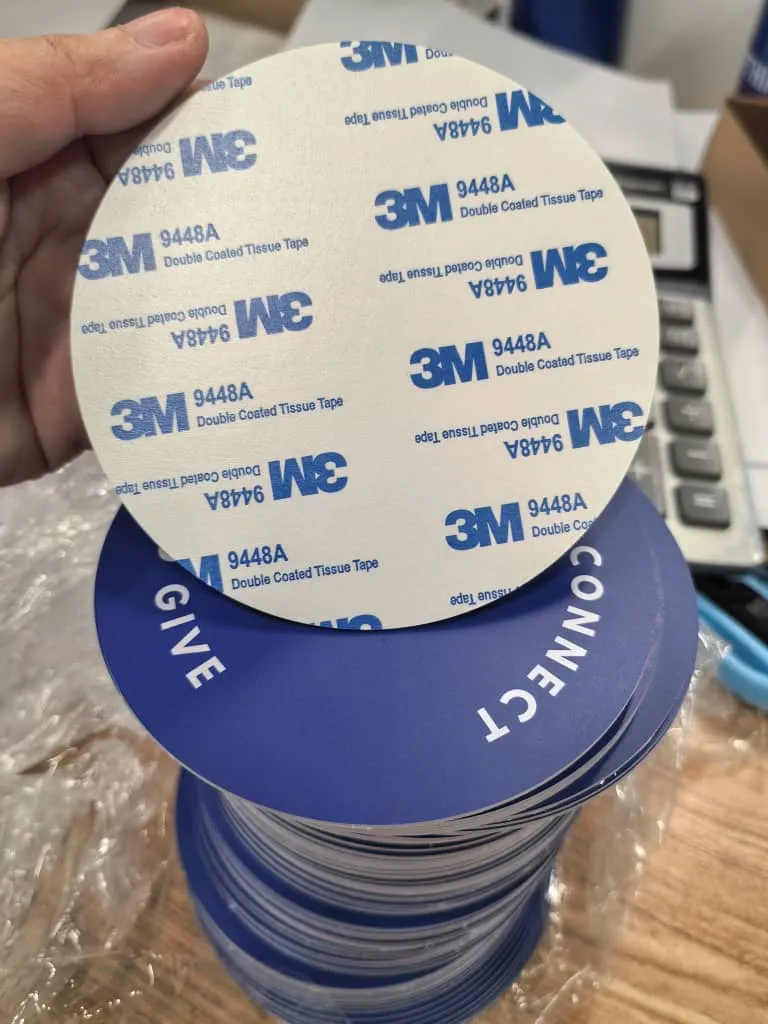
What 150 NFC tap plates cost one time at $5.00 each, free shipping included. Cash App's 2.75% business fee, by contrast, runs about $990 a year on $3,000 a month of giving, every year. The plates never add a fee of their own.
See your church's plate and price in 30 seconds
Design it yourself on the next page. From $3.50 per plate, free shipping, no monthly fees.
Can You Tap to Give With Cash App?
Yes, and the reason is simple: an NFC tap plate does not care which company handles the money. Cash App does not sell tap hardware, tap discs, or anything for the offering. What it gives you is a giving link, and a link is all a plate needs. You program the plate with your church's Cash App URL, and the tap does the rest.
Tap.Giving is hardware, not a payment processor. We sell the plates. Cash App keeps handling the donation. When a member holds a phone within an inch of the plate, the phone opens your Cash App page in its own browser, the giver enters an amount, and the gift goes through Cash App exactly as it would if they had typed your $cashtag by hand. The plate just removes the typing, the searching, and the hesitation.
That is the whole idea behind NFC giving: the church keeps the platform it already trusts, and adds a one-tap path in the room. Whether you call it tap to give or tap to donate, it works the same whether the destination is Cash App, Tithely, Pushpay, Donorbox, or your own Stripe checkout. If you want the giver-side walkthrough first, how tap to give works for churches covers the eight-second experience step by step.
What You Need Before You Start
This is a short list. None of it involves an integration, an API key, or a developer. If you can send a text and log into a bank account, you can do all of it.
- A Cash App for Business account in the church's name, tied to the church EIN. Not a personal account (more on why below).
- A phone to test with. Any iPhone since the XS (2018) or any modern Android reads NFC tap plates with no setup.
- NFC tap plates, one per seat. A 150-seat room needs 150; a 400-seat room needs 400. The sizing guide walks the count by room.
- A decision on mounting: adhesive for chair backs, screws for pew backs. Both ship with the plates.
That is it. The rest of this guide is four steps, and most churches move from Cash App-only to tapping on every seat in 2-3 weeks, which is the plate delivery window.
1. Set Up Your Church Cash App and $Cashtag
Open a Cash App for Business account for the church, not a personal one. The personal version is free, but using it to collect donations puts the account at risk of being flagged and frozen mid-month, because the activity does not look personal. The business tier is the legitimate path. It charges 2.75% per incoming transaction and has no monthly fee.
Choose a $cashtag that reads clearly on a screen and in a bulletin. $GraceChurchTX is better than $gc2026. Verify the account with the church EIN so deposits land in the church bank account and not a staff member's. Once the $cashtag is live, you have your giving destination.
One honest heads-up before you print the $cashtag everywhere:
Cash App does not issue tax-deductible receipts in the format the IRS expects. If your donors want year-end statements, read the What Cash App Will Not Do section before you commit, because the fix changes what URL you put on the plate.
2. Turn Your $Cashtag Into a Tap-Ready Link
Your Cash App giving URL is cash.app/$YourChurch. Open it on a phone and confirm it lands on the payment screen cleanly. That URL is what the plate will store, so it needs to be the exact address you want givers to reach.
Here is the move that saves you a reprint later: point the plate at a redirect, not the raw Cash App link. A branded short link like go.tap.giving/yourchurch can forward to your Cash App page today, and to a different giving page tomorrow, without touching a single plate. Since a locked NFC plate holds one fixed URL for its life, the redirect is what keeps your options open. If you know you will only ever use Cash App, the raw link is fine too.
This is also the step where contactless giving quietly beats a printed QR sign. A QR code at the back wall makes people leave their seat, open a camera, aim, and wait for focus. A tap plate on the seat in front of them is one motion against the phone already in their hand. That gap, four steps versus one, is often the difference between a curious visitor and an actual gift.
3. Program NFC Tap Plates With Your Cash App URL
There are two ways to get NFC tap plates loaded with your link, and one of them is a lot less work.
Option A: Order pre-programmed (recommended)
Send Tap.Giving your giving URL and a vector logo. Plates arrive printed with your church branding and encoded with your Cash App link, locked so a passing phone cannot overwrite them. Plates are $5.00 each at 100 to 199, $4.00 each at 200 to 399, and $3.50 each at 400 or more, with free shipping and typical delivery 2-3 weeks from artwork approval. Full pricing or start an order.
Option B: Program blank tags yourself
Buy blank NFC tags and write your Cash App URL to each one with the free NFC Tools app. It works, but you handle the printing, the encoding, the locking, and the quality checks by hand. For anything past a few dozen seats, the pre-programmed plates are cheaper once you count your time.
Order one plate per seat. Under-ordering is the most common mistake churches make, because a plate two rows away might as well not exist during the offering. The whole point of NFC tap plates is that the giving path is directly in front of the person, every seat, every service. Our plates ship locked by default and can be unlocked on request.
4. Mount the Plates and Demo From Stage
Mounting is quick. Peel-and-stick adhesive works for padded chair backs and hard surfaces; the screw-mount variant suits wooden pew backs. Space them so every seat has one within reach. A volunteer team can do a 300-seat room in an afternoon.
The single most important thing you will do is a 30-second demo from the stage. Hold up a phone, tap a plate, show the giving screen open on the projector, and say "that is all it is." People give when they have seen it done once. Skip the demo and the plates sit unused for weeks; do the demo and giving moves that same Sunday.
Leave the old $cashtag printed in the bulletin for a month so habitual givers are not stranded while the room learns the new tap and give motion. After that, the plates carry the load. For the fuller launch playbook, the walkthrough and how it works both cover the announcement script.
What Cash App Will Not Do (Read First)
Cash App is genuinely useful for a season, and the tap plates make it far more useful. But be clear-eyed about what a $cashtag does not do for a church, because two of these gaps drive most churches to switch platforms within a year.
- No IRS-formatted tax receipts. Cash App for Business statements omit the donor address, church EIN, and the acknowledgment language that gifts of $250 or more require. Year-end statements have to be assembled by hand.
- No donor record. You see a payer name and amount, not a giving history. Tracking a family's annual total or following up with a first-time giver means exporting and matching by hand.
- No native recurring giving. Every gift is manual. Recurring giving is the line item that stabilizes most church budgets, and Cash App does not offer it.
- The 2.75% fee is real. At $3,000 a month of online giving that is about $82.50 a month, or roughly $990 a year. Our Cash App vs Tap.Giving cost breakdown runs the five-year math.
None of this stops the tap plates from working. It just means the plate should probably point at a redirect (step 2) so you can move the destination later without reprinting. About 91% of US adults own a smartphone and 97% own a cellphone of some kind, per the Pew Research Center, so the phone in the pew is never the bottleneck. The platform behind the tap is.
When to Graduate From Cash App
The good news is that graduating costs you nothing in hardware. If you followed step 2 and pointed the plates at a go.tap.giving redirect, moving from Cash App to a receipting platform is a single change: you repoint the redirect, and every plate in the room opens the new page the next Sunday. No reprint, no reorder, no re-mounting.
For most churches the cleanest next step is a free nonprofit-grade platform like Donorbox or Anedot, or Tithely's free Basic plan. Each issues automatic tax receipts, tracks donors, and supports recurring giving, and each pairs with the same NFC tap plates you already own. Our ranked roundup of church giving platforms weighs the trade-offs, and the ROI math shows how fast the plates pay for themselves.
This is the quiet advantage of building your digital giving for churches on hardware you own rather than a subscription you rent. Platforms come and go. The plate on the seat, and the one-tap habit your congregation builds around it, stays. If you are weighing the other cheap starters, our Venmo comparison and PayPal comparison run the same setup logic.
Put Cash App tap to give on every seat
One-time hardware cost. No monthly fees. Works with your Cash App $cashtag today and with any platform you switch to later. Most churches are tapping within three weeks.
Start a quote to get 10% off for 7 days
FAQ
Can you tap to give with Cash App at a church?
Yes. Cash App does not sell tap hardware, but an NFC tap plate can be programmed with your church's Cash App link (cash.app/$YourChurch). When a member taps a phone to the plate, the phone opens your Cash App giving page in the browser and the giver sends an amount. The plate handles the tap, Cash App handles the money, and no app download is required on the giver's phone.
How do I program an NFC plate with my Cash App link?
Two ways. Order NFC tap plates from Tap.Giving pre-programmed to your Cash App URL by sending us the link and your logo, or buy blank NFC tags and write the URL yourself with the free NFC Tools app. Ordering them pre-programmed and locked is the simpler path, because a locked plate cannot be overwritten by a passing phone.
Does Cash App charge churches a fee to receive donations?
Yes. Accepting church donations requires a Cash App for Business account, which charges 2.75% per incoming transaction. There is no monthly fee, but at $3,000 a month of online giving that 2.75% is about $82.50 a month, or roughly $990 a year. The NFC tap plates themselves add no transaction fee, because Tap.Giving is hardware and never touches the money.
How many NFC tap plates does my church need?
The rule of thumb is one plate per seat. A 150-seat room orders 150 plates, a 400-seat room orders 400. Plates are $5.00 each at 100 to 199, $4.00 each at 200 to 399, and $3.50 each at 400 or more, with free shipping and typical delivery 2-3 weeks from artwork approval. A 150-seat church spends $750 once for 150 plates. Our sizing guide walks the math by congregation size.
Should I use a personal Cash App account for church giving?
No. A personal Cash App account used to collect donations can be flagged and frozen, because the activity does not look personal. Use a Cash App for Business account tied to the church EIN. It is the legitimate path and the one that keeps your giving from being interrupted mid-month.
Will Cash App send my donors tax-deductible receipts?
No. Cash App for Business statements show a payer name, amount, and date, but not the donor address, church EIN, or the written acknowledgment language the IRS expects for gifts of $250 or more. If donors need year-end statements, either generate them separately or point your tap plates at a nonprofit-grade platform (Donorbox, Anedot, Tithely) that receipts automatically. The same plate works either way.
Can I switch away from Cash App later without buying new plates?
Yes, if you set the plates up to point at a go.tap.giving redirect instead of the raw Cash App link. Then, when you move to a receipting platform, you change the redirect once and every plate in the room opens the new page. Without a redirect, a locked plate holds one fixed URL, so plan the destination before you order.
Related Articles
Cash App for Churches vs Tap.Giving (2026)
The five-year cost math on Cash App's 2.75% fee, plus an honest carve-out for when a $cashtag alone is the right call.
TutorialGivelify Tap to Give Setup Guide
The same four-step setup for churches whose giving already runs through Givelify instead of Cash App.
GuideHow Tap to Give Works for Churches
The eight-second giver experience, the tech behind the tap, and the Sunday launch playbook, start to finish.