Givebutter Tap-to-Give Setup: Step-by-Step (2026)
Givebutter is the free giving platform most churches end up loving. Tap.Giving plates make it work in the room, on every seat, with one tap. Here is the full 4-week setup playbook, no API keys, no integration work, no monthly cost on either side.
Short answer: Givebutter charges churches $0 per month in 2026 and funds itself through optional donor tips plus a 2.9% + $0.30 card processor pass-through. To add an in-room tap to give moment, point a Tap.Giving NFC plate at your givebutter.com URL. A 200-seat church pays about $800 one-time for plates and is tapping inside 4 weeks. Plates also act as a tap to donate path during the offering, no Givebutter app or QR camera required.
Time From URL to First Tap
4 weeks
From confirming your Givebutter giving URL to the first plate tap on a Sunday morning. No API, no integration, no Givebutter-side configuration.
See your church's plate and price in 30 seconds
Design it yourself on the next page. From $3.50 per plate, free shipping, no monthly fees.
How Givebutter and NFC Tap Plates Work Together
Givebutter assigns every nonprofit a public giving page in the format givebutter.com/your-church-slug. That URL renders a mobile-optimized donation page that accepts Apple Pay, Google Pay, cards, ACH, and PayPal. NFC tap plates store URLs, not payments. When a member holds their phone within a few centimeters of a plate, the phone reads the URL and the Givebutter page opens in their browser. Givebutter handles the payment, the receipt, and the donor record exactly the same as if the giver had typed the URL by hand.
That platform-agnostic design is the reason tap to give and tap to donate work alongside whatever giving platform a church already uses. Givebutter handles the money. Tap.Giving handles the in-room moment. Neither one replaces the other. If you ever switch platforms, the plates can be reprogrammed to point at a different URL (unless the chip was write-locked at order). The same setup works with Donorbox, Tithely, Pushpay, Anedot, Subsplash, Planning Center Giving, and any other platform that publishes a public mobile-friendly giving URL.
Internal data from Tap. The chip itself draws no battery, needs no WiFi, and has no monthly fee from anyone. For a deeper look at the in-room math, see our NFC giving ROI breakdown and the full Givebutter vs Tap.Giving comparison.
Confirm Your Givebutter Giving URL
Every Givebutter nonprofit account has at least one campaign URL. That URL is what the NFC chip will open. Do not order plates until the URL is final, since the chip stores whatever address you point it at and you do not want to redo the order three weeks in.
Where to find your URL
- 1.Log in to
givebutter.comas an admin on the church account. - 2.Open the Campaigns tab and copy the public URL of your main giving campaign. The format is
givebutter.com/your-church-slug. - 3.Test a $1 donation from a real phone (Apple Pay is the fastest way) and confirm the receipt arrives in the donor's inbox within a minute or two.
- 4.If you want analytics attribution for taps, append a UTM tag:
?utm_source=tap-plate.
A note on URL choice:
You can point the plate at the main Givebutter campaign URL, at a fund-specific campaign, or at your own church domain that redirects to Givebutter. The direct givebutter.com URL is simpler and loads fastest. A short custom domain (like give.yourchurch.org) gives you more flexibility if you ever switch platforms, since you only have to update the redirect, not the chips.
Decide on NFC Hardware
Givebutter does not sell NFC tap plates, tap discs, or any tap technology for churches as of 2026. You will source the hardware separately. Two real paths for a Givebutter church:
Tap.Giving plates (pre-programmed, branded)
Order plates pre-encoded with your Givebutter URL and printed with your church logo plus a QR code fallback. Pricing is $5.00 each at 100 to 199, $4.00 each at 200 to 399, and $3.50 each at 400 or more. Shipping is free to every destination we agree to serve, and delivery is typically 2-3 weeks from artwork approval. This is the path most churches take because there is no DIY programming and no peel-and-stick label work. See full pricing.
DIY blank NTAG215 stickers
Buy NTAG215 NFC stickers from Amazon or an NFC supplier (about $0.50 to $1 each in bulk). Program each one with the free NFC Tools app on iOS or Android: pick Write, add a URL record, paste your Givebutter URL, and hold the phone to the tag. Repeat for every chair. This is the cheapest path, but stickers peel and look unprofessional next to a permanent seat fixture, and the labor adds up after the first 50 tags. Our NFC Tools walkthrough covers the full DIY process and the chip-type trade-offs.
For sizing, our sizing guide walks the 100 vs 200 vs 400 decision based on seat count, multisite plans, and whether you want one plate per seat or one per couple. The short version: order one plate for every adult seat plus 10% spares for lobby tables and the welcome center.
Order Tap.Giving Plates (Pre-Programmed)
Two things to send us when you order: your Givebutter giving URL and a vector copy of your church logo (SVG, AI, or EPS). We encode the URL on every chip, print the logo and a QR code fallback on each plate, and ship the plates ready to mount.
- Order at tap.giving/order. Start a quote to get 10% off for 7 days.
- Pricing is $5.00 (100 to 199 plates), $4.00 (200 to 399), $3.50 (400 or more). Shipping is free to every destination we agree to serve.
- Production plus shipping typically runs 2-3 weeks from artwork approval. The order page asks for the giving URL and the logo file in one step.
- Need a sample first? Order a single plate to verify the chip reads your Givebutter URL on staff phones before committing to the full order.
The plate art uses the existing blog palette and prints the QR fallback at a size large enough to scan from arm's length, which matters for the few attendees still on older Androids or non-NFC phones. About 95% of taps on a typical Sunday come through NFC, with the remaining 5% picking up the QR fallback.
Mount Plates and Demo From Stage
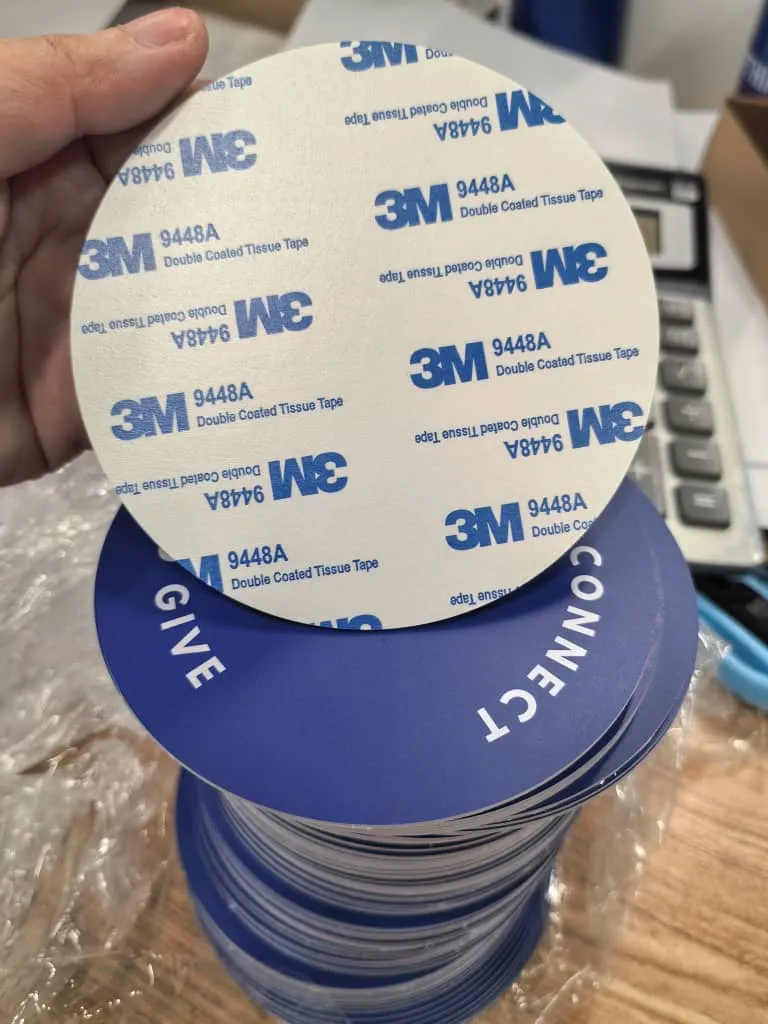
The plates arrive with 3M VHB adhesive backing on every unit. Wipe each seat back with a microfiber cloth, peel, press for 10 seconds, and you are done. Our mounting walkthrough covers chair back vs pew vs lobby table placement and the metal-backing edge case.
For the first 2-3 weeks, ask the pastor or worship leader to demo the tap from the stage during the offering. Something simple works:
"There is a new tap plate on the back of the chair in front of you. Hold your phone near it and it will take you to our Givebutter giving page. One tap, no app, no QR camera. Try it now if you would like."
After three weeks the demo can fade out. Most members who plan to use the path have tried it by then, and the behavior becomes self-sustaining. Our promotion playbook has the full announcement script plus the bulletin language to use in the first month.
Things to Know About Givebutter
Donor tips fund the platform, and you can adjust the default.
Givebutter does not charge a monthly fee. The platform funds itself through an optional tip the donor sees at checkout. Most givers leave it on by default, which is how Givebutter stays free for the church. The default tip rate is configurable in the campaign settings, including a lower default if your audience pushes back on it.
Recurring giving is first-class.
Givebutter supports weekly, monthly, and custom-frequency recurring gifts at the campaign level, with the donor able to manage their schedule themselves. This is the single most stabilizing line in a church budget and the main reason most pastors prefer a real giving platform over Zelle or Venmo for the primary path.
Tax receipts are automatic.
Givebutter sends an IRS-compliant donation receipt to every donor at the time of gift and produces annual statements automatically. Compare that with a Zelle-only church that rebuilds receipts by hand every January.
The dashboard reports look the same for tap and non-tap gifts.
A donation that comes through an NFC tap plate looks identical to one from a website click. If you want to attribute taps separately, append a UTM tag (?utm_source=tap-plate) to the URL we encode on the chip and the report will split them out.
No app install is needed on either side.
The giver uses the phone they already carry. The church does not install a Givebutter app. The plate does not run software. The no-app angle matters for visitors and older members, who account for a real share of first-time givers.
Add tap to give to your Givebutter setup in 4 weeks.
One-time hardware. No monthly fees on either side. Plates ship pre-programmed with your givebutter.com URL and your church logo. Most churches are tapping by week four.
Start a quote to get 10% off for 7 days
FAQ
Does Givebutter charge churches a monthly fee?
No. As of 2026, Givebutter does not charge a monthly subscription. The platform funds itself through optional donor tips, which most givers leave on by default, plus the standard processor pass-through of about 2.9% + $0.30 on cards and 1% on ACH. For a 200-seat church running roughly $3,000 a month online, that lands near $1,050 a year in fees, with no SaaS line item.
Can NFC tap plates work with Givebutter?
Yes. Givebutter assigns every nonprofit a public giving page in the format givebutter.com/your-church-slug. NFC tap plates store one URL each, so you point the plate at your Givebutter campaign and a tap opens the giving page in the giver's browser. Givebutter handles the payment, the receipt, and the donor record exactly the way it would if the giver had typed the URL by hand.
How long does it take to set up tap-to-give with Givebutter?
Most churches are tapping inside 4 weeks. Week one is confirming the Givebutter URL and testing a dollar donation. Week two is ordering plates from Tap.Giving. Week three covers shipping and mounting. Week four is the Sunday demo and the announcement from the pulpit. No integration, no API keys, no Givebutter-side configuration.
Do I have to type the Givebutter URL onto every plate myself?
No. Tap.Giving programs every plate before it ships. You send us your Givebutter URL and church logo, we encode the URL on the chip, print the logo and a QR code fallback on the plate, and ship plates ready to mount. If you prefer the DIY route, you can buy blank NTAG215 tags and program them yourself with the free NFC Tools app on iOS or Android.
Will my Givebutter dashboard show donations from NFC taps?
Yes. Tap-driven donations look identical to any other Givebutter gift inside the dashboard. The plate is just a faster way to open your giving page, so the gift, donor, fund designation, and receipt all flow through Givebutter the same as a desktop visitor or a social-media click-through. You can add a UTM tag to the URL on the plate if you want to attribute taps separately in reports.
Can I point a Tap.Giving plate at a specific Givebutter campaign or fund?
Yes. Anything Givebutter publishes as a URL can go on a plate. Many churches run a main campaign URL on the seat-back plates and a separate building-fund or missions URL on plates at the lobby table or welcome center. If you change the URL later, blank tags can be reprogrammed with the NFC Tools app unless the chip was write-locked at order time.
What does a Givebutter plus Tap.Giving setup actually cost?
Givebutter has no monthly fee in 2026. The only recurring cost is the processor pass-through of about 2.9% + $0.30 per card gift. Tap.Giving plates are a one-time hardware purchase: $5.00 each at 100 to 199 plates, $4.00 each at 200 to 399, and $3.50 each at 400 or more. Shipping is free to every destination we agree to serve, delivery is typically 2-3 weeks from artwork approval, and the 10% first-order offer lasts 7 days from the quote.
Related Articles
Givebutter vs Tap.Giving (2026)
5-year cost math for a 200-seat church on Givebutter compared with a Tap.Giving plate setup.
ComparisonTithely vs Pushpay vs Givebutter vs Subsplash
Four-way comparison of the most common church giving platforms in 2026.
GuideBest Online Giving Platforms for Churches (2026)
Ranked roundup of the free and paid giving platforms most churches actually use.