How Restaurants Take Orders at the Table Without an App
The simplest way to take orders at the table without an app is a tap disc: a small NFC disc on the table that opens your existing ordering page when a guest holds a phone to it. No download, no account, and no fee from the hardware on the order. The discs are custom printed, cost $3.50 to $5.00 each one time with no monthly fees, and work with whatever ordering page you already run, from Toast to Square to a plain menu link.
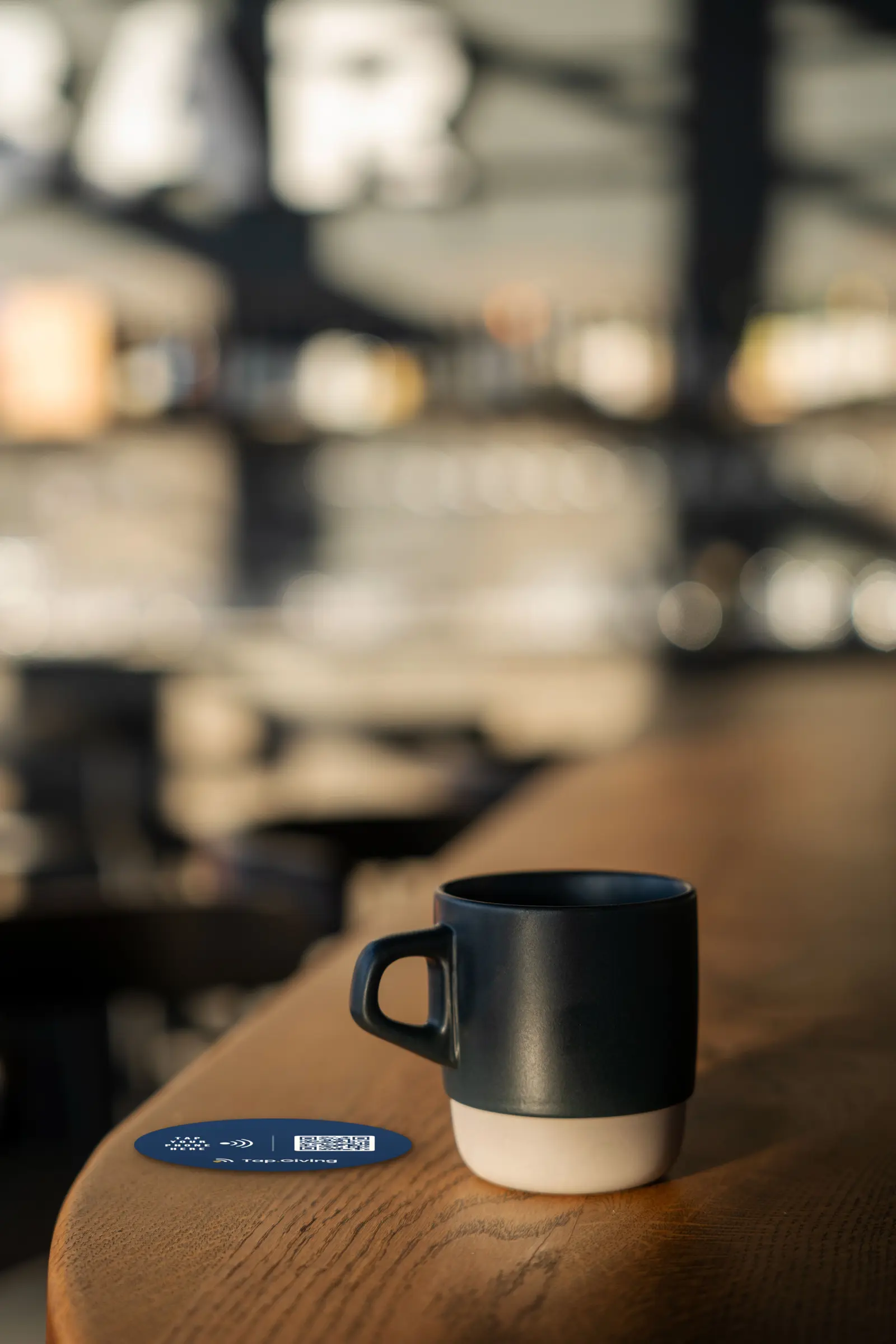
How do you take an order when a server can't get back to the table?
You put the ordering page where the guest is already sitting. The guest who wants another round, an extra side, or dessert has usually decided well before a server has a free hand. The window between deciding and being able to tell someone is where the second order quietly disappears. By the time a server circles back, the moment, and the appetite, has often passed.
A disc on the table closes that gap. The guest holds a phone to it, your ordering page opens, and they order from their seat while they still want the thing. Nobody waves, nobody waits, and the kitchen gets the ticket it would otherwise never see. The staff you have covers more tables because the first ask no longer depends on catching an eye.
This is not about replacing servers. It is about not losing the orders a busy room drops on the floor between courses. The disc handles the "I'm ready now" moment so your people can handle the hospitality that actually needs a human.
Why won't guests download an app to order?
Because nobody installs software to buy lunch. A guest who has to find your app in a store, download it, create an account, and accept notifications before they can see a menu has already given up. The friction is the point of failure. Every step between "I want to order" and "I ordered" sheds people, and an install plus a signup is several steps stacked at the worst possible time.
A tap needs none of it. The guest uses the phone already in their hand, and the page that opens is the plain web page you already run. The good news is that the device is already in the room: by Pew Research Center's Mobile Fact Sheet, roughly 9 in 10 US adults own a smartphone. Contactless ordering for restaurants works best when it asks the guest for nothing they do not already have, and a phone is the only thing a tap requires.
What's wrong with a QR code sticker on the table?
Nothing, until the table wears it out. A QR code is a fine way to open a page, and a disc actually carries one as its backup. The problem with a paper tent or a sticker is the table itself. Paper gets spilled on, wiped down, peeled at the corner, and bleached by patio sun, and a faded code fails silently: the guest simply does not order, and you never hear about it.
A tap disc is rigid waterproof PVC built for that exact abuse. Spill on it, wipe it, leave it in the sun, and it works the same after a year of service as on its first day. It still carries a printed QR code for any phone that cannot tap, so QR code table ordering stays available, just on a surface that survives the table.
There is one more durability win that paper cannot match. When your menu link or ordering provider changes, you do not reprint a single table. The disc points at an address you control, and you change where every disc lands from a free dashboard in seconds.
How does a tap disc actually work?
The guest taps, your page opens, and that is the whole mechanism. Inside each disc is an NFC chip, the same technology that opens a hotel door or taps a transit gate. When a phone touches the disc, the chip hands it a web address, and the phone offers to open that page in its browser. The page is yours: a Toast online ordering page, a Square Online page, a DoorDash Storefront page, or a plain menu link.
- The guest taps a phone on the disc. No app opens, no store, no login. The phone shows a notification to open your page.
- Your ordering page opens in the browser. It is the page you already use, from the provider you already pay, exactly as it looks when a guest orders from home.
- They order there, the way they already order online. Tap.Giving is hardware only, never a payment processor, and takes nothing from the order.
Compatibility is wide enough that you do not have to ask guests what phone they carry. Every iPhone since the XS taps automatically with no app, older iPhones scan the printed QR code, and Android phones from 2015 onward tap. Any phone that cannot tap can still scan the same code. If you want the longer walk-through from the chip to the page, how tap-to-give works covers it step by step, and the full vertical with placements and pricing lives on the NFC table discs for restaurants page.
Can guests pay at the table too?
Where your own page supports it, yes, and the longest wait of the meal disappears. The slowest stretch in most restaurants is the last one, after the plates are cleared: the wait for the check, then the card run, then the receipt. If your ordering page already lets a guest pay from their phone, the disc opens that page and they settle up from the seat. Pay at table stops being the server's schedule and becomes the guest's.
Be clear on one thing: the disc never takes the payment itself. It opens your page, and your page handles the money under the arrangement you already have with your provider. The disc just removes the walk and the wait between "we're done" and "we paid."
What the disc does not do
The disc is a tap target, not an ordering system, and this page will not blur that line. A tap opens your page. The disc itself does not route orders to the kitchen, take a payment, split a check, or prompt for a tip, and it does not connect to your POS. Your existing ordering page does all of that, the same way it does when a guest orders from a couch at home.
Full disclosure on who is writing this: I build Tap.Giving, so I am not a neutral party. The honest version anyway: if what you need is a full ordering platform that fires tickets to the kitchen printer with the table number attached and puts the live open check on the phone, buy that platform, with open eyes about its monthly and per-order costs. If you already run an ordering page that works, the disc is the durable, one-time way to put it on the table. One disc can even carry its own link, so where your system offers per-table ordering links, table 12's disc points at table 12.
What does it cost to put a disc on every table?
Discs are printed hardware, bought once, so there is nothing to subscribe to. The price drops as the quantity rises:
- 100 to 199 discs: $5.00 each
- 200 to 399 discs: $4.00 each
- 400 or more: $3.50 each
Walk the math for a real room. A dining room and patio with 120 table spots that orders 200 discs pays $4.00 each, which is $800 one time, with spares left in the drawer. There is no setup fee, no monthly fee, and no per-order fee from us, because you are buying a printed object, not a plan. We sell the discs; you keep the ordering platform you already chose, and your provider's own charges stay whatever they already are.
The minimum order is 100 discs, because every order is custom printed with your design, and for a ten-table cafe that is more discs than tables, which this page will not pretend otherwise about. One hundred fits a multi-table dining room and its patio, a food hall, or a group ordering once for several locations. Shipping is free, discs do not expire, and turnaround is usually about 2 to 3 weeks from the day you approve the artwork, an estimate rather than a promise. You get a free proof of your own disc before anything is printed, and there is a 30-day money-back guarantee. To see the number for your table count, the pricing page lists every tier, or you can design a disc and see its price on the order page. The same seat-side idea works for any room that gathers a crowd, which we cover in tap-to-donate discs for nonprofits.
Frequently asked questions
Can a restaurant take orders at the table without an app?
Yes. A tap disc on the table opens the ordering page you already run when a guest holds a phone to it. There is nothing for the guest to download and no account to create. The disc is hardware only, so it never takes a payment or a cut of the order.
What if a guest's phone cannot tap the disc?
Every disc carries a printed QR code to the same page, so any phone with a camera has a path. The tap is the fast path and the QR code is the backup, both pointing at the ordering page you choose.
Does a tap disc replace our ordering system?
No. The disc is a tap target, not an ordering system. It opens your existing page from a provider like Toast, Square, or DoorDash Storefront, and that page does the real work. The disc is a one-time cost with no monthly fee and no per-order fee from Tap.Giving.
See your organization's disc and price in 30 seconds
Design it yourself on the next page. From $3.50 per disc, free shipping, no monthly fees.
Related Articles
NFC Table Discs for Restaurants
The whole restaurant vertical, placements, pricing, and the honest limits, on one page.
Tap-to-Donate Discs for Nonprofits
The same tap-the-table idea, built for any room that gathers a crowd.
Fundraising Ideas That Don't Interrupt the Show
How a seat-side tap works the moment a crowd is ready, without a line or a login.