How to Train Ushers and Greeters on Tap to Give in 15 Minutes
Plates on the seats do nothing if the people at the doors cannot help a guest use them. Here is the exact 15-minute drill to train ushers on tap to give, plus the word-for-word answers to the five questions members ask.
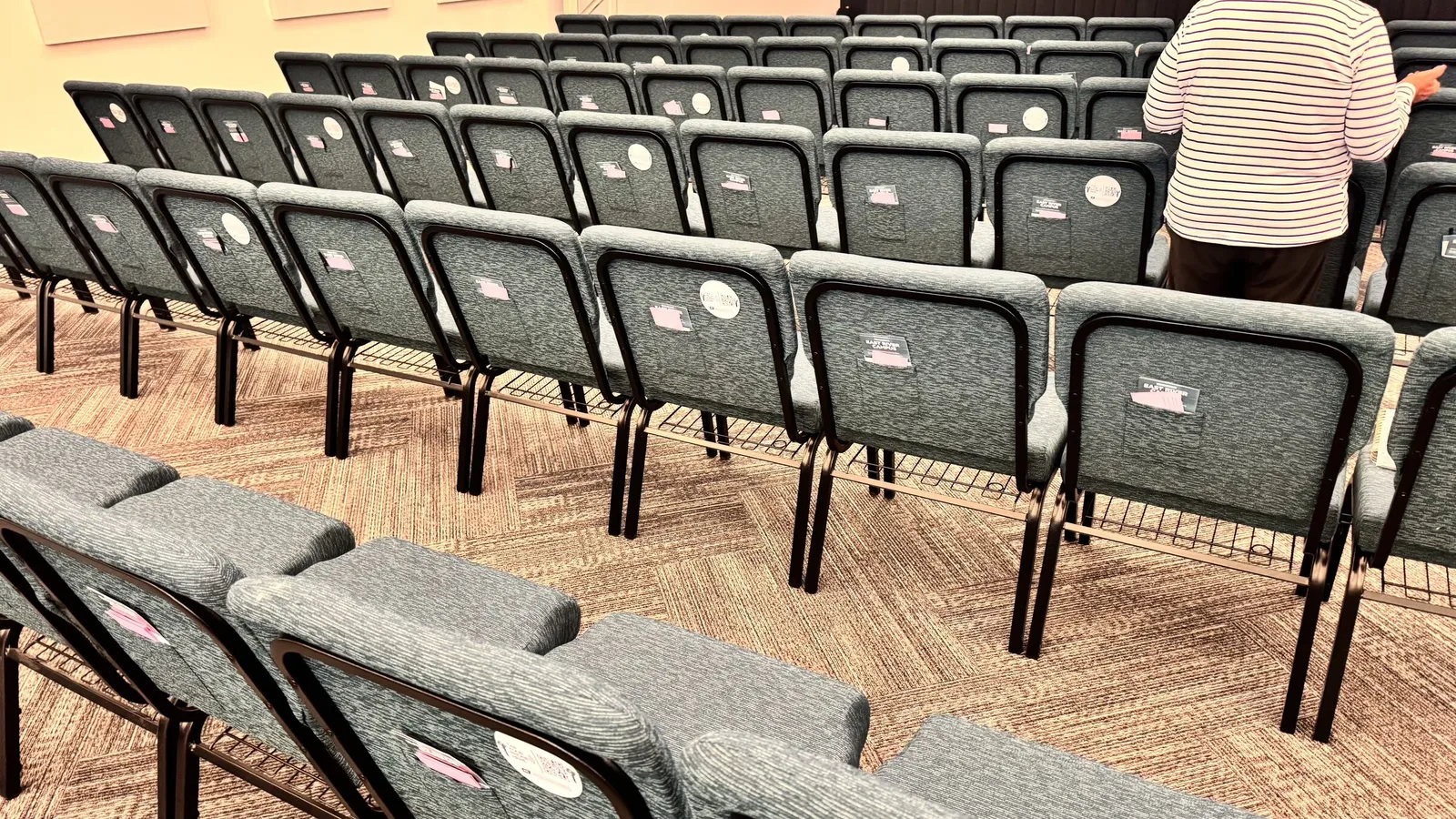
A team that demos the plates gets them used. Untrained plates just sit there.
Training ushers and greeters on tap to give takes about 15 minutes: show them one tap, let each person try it once, and give them the five answers members ask most. With Tap.Giving NFC tap plates already in the seats, a greeter needs no app and no card reader, just a phone and one practiced sentence.
Key facts
- A full tap-to-give usher training runs 15 minutes: 3 minutes to demo, 7 minutes hands-on, 5 minutes of answers.
- Ushers need no app and no hardware of their own. The NFC tap plates are already mounted in the seats.
- Every iPhone since 2018 (iPhone XS) and nearly every Android reads a plate with no setup.
- Tap.Giving plates cost $3.50-$5.00 each, one-time, with no monthly fees.
- Retrain new volunteers in about 5 minutes whenever the schedule rotates.
See your church's plate and price in 30 seconds
Design it yourself on the next page. From $3.50 per plate, free shipping, no monthly fees.
Why Does Tap to Give Need a Trained Usher at All?
A guest sees a small plate on the seat back that says Tap to Give, and does nothing. Not because they are unwilling, but because nobody told them it was for them. That hesitation is the entire gap between plates that get tapped and plates that gather dust.
The usher closes that gap with one sentence and a smile. The difference is almost never the technology. It is that no confident, familiar face said, "here is how this works."
Your greeters are already the warmest people in the building. Give them 15 minutes of practice and they become the reason contactless giving works in your room. Digital giving for churches lives or dies on that first friendly nudge, and the training below is built so any volunteer can run it and any volunteer can pass it.
What Goes in a 15-Minute Tap-to-Give Training?
A tap-to-give training runs 15 minutes and has three parts: a 3-minute demo, 7 minutes of hands-on practice, and 5 minutes of answers. Print the agenda below, hand it to whoever leads the huddle, and run it before a service while the plates are already mounted.
The 15-minute usher and greeter agenda
Show one tap.
Hold a phone to a mounted plate in front of the team. Let the giving page open. Narrate it: "phone near the plate, banner pops up, tap it, choose an amount, done in about eight seconds."
Everyone taps once.
Every usher and greeter completes one real tap on their own phone. Have one person try the card-only path and one try the QR fallback so the whole team has seen all three routes.
Rehearse the five answers.
Read the five questions and their one-sentence answers aloud (below). Then walk the room together and confirm every plate is reachable from a seat and clean enough to read.
That is the whole thing. No slides required, no handout longer than one page. If you also announce digital giving from the stage that morning, the room and the doors are saying the same thing, which is exactly what you want. Here is our word-for-word stage script for announcing digital giving to pair with this drill.
How Do Ushers Practice Before Sunday?
The single most important seven minutes is the hands-on tap. An usher who has tapped a plate once will help a member without a flicker of hesitation. An usher who has only watched will freeze the first time a guest looks confused.
Make each volunteer do all three routes so nothing on Sunday is a surprise:
- The tap: hold the top of an iPhone or the back of an Android within an inch of the plate until the banner appears.
- The card path: on the giving page, choose an amount and pay with a card instead of Apple Pay or Google Pay, so they can walk a member through it either way.
- The QR fallback: open the camera and scan the QR code printed on the plate. Same giving page, different door in.
Have them practice the one line they will actually say: "Want to give this morning? Just hold your phone right here, it opens our giving page, takes about eight seconds." One sentence, said warmly, is the whole job. Members will call it different things, tap and give, tap to donate, or just "the plate," and your usher can nod along with any of them. If a volunteer wants the deeper background on how tap to give works, send them that after the huddle, not during it.
Need plates for your church before you can train anyone?
See pricing →The 5 Questions Members Ask (and the Exact Answers)
Members ask the same five things. Give your team these one-sentence answers and the doubt disappears on the spot. This is the script to read aloud in the last five minutes of training.
1. "Do I need to download an app?"
"Nope, nothing to download. It just opens our giving page in your phone's browser, the same one you already use."
2. "Is my card information safe?"
"Completely. The plate is just a web address, no card data touches it. You pay on the same secure page our online givers use, and Apple Pay or Google Pay never shares your real card number."
3. "My phone did not do anything, is it broken?"
"Try holding the very top edge if it's an iPhone, or the middle of the back on an Android. Still nothing? Just point your camera at the little QR code and it opens the same page."
4. "Can I still give cash or check?"
"Of course, nothing changes there. The plate is just an easy option for anyone who did not bring cash today."
5. "Does this cost me extra?"
"Not a cent extra to you. Your full gift goes to the church, exactly like giving online from home."
Tell your team it is fine to say "great question, let me grab someone" for anything past these five. Confidence on the common questions matters more than having an answer for everything. For the wider congregation, our guide on how to explain and promote tap plates to your congregation covers the announcements and bulletin copy.
How Often Should You Retrain the Team?
Run the full 15-minute training once at launch, then a 5-minute refresher whenever new volunteers rotate onto the schedule. Usher teams turn over constantly, so build the refresher into the pre-service huddle rather than a separate meeting nobody attends.
Re-run the drill before your two biggest Sundays, Easter and Christmas Eve, when the room is full of first-time guests. Those are the services where a warm greeter and a working plate turn a visitor into a first-time giver. About visitors can give with no app to install, so the guest at the door on a holiday is exactly the person tap to give reaches best.
Keep the one-page agenda in the usher closet next to the offering baskets. When someone new shows up to serve, the veteran usher hands them the page, does the 3-minute demo, and watches them tap once. That is the entire onboarding, and it survives turnover because it is short.
How the Right Plates Make the Usher’s Job Easier
Training is easier when the hardware does not fight you. Tap.Giving plates are built so an usher never has to troubleshoot: no battery to die, no Wi-Fi to drop, no account for the volunteer to log into. The plate holds one thing, your existing giving page URL, and it works the day it arrives.
Because we are hardware and not a payment processor, nothing about your giving platform changes. The plates open whatever page you already use on Tithely, Pushpay, Subsplash, Donorbox, Givelify, Anedot, or Planning Center Giving. Your ushers learn one gesture, and your finance team keeps the exact reporting and receipts they already have. That is the whole point of platform-agnostic NFC giving.
A 200-seat church orders 200 plates at $4.00 each, or $800 once, with free shipping. There is no second-year cost and no per-tap fee from us. Compared to a monthly subscription, the math on a one-time set of NFC tap plates is the easiest line item a board will approve. For device details and the QR fallback, point tech-minded volunteers to our NFC FAQ, and see the full three-step flow on how it works.
Give people a reason to tap and a friendly face to ask, and contactless giving stops being a gadget and starts being a habit. The plates supply the reason. Your trained ushers and greeters supply the face. If you are still weighing the tap-and-give option against QR-only, remember NFC drives fewer steps than a QR code alone.
Ready to put tap to give in your members’ hands?
One-time hardware cost. No monthly fees. Works with the giving platform you already use. Train your team in 15 minutes and you are live.
Start a quote to get 10% off for 7 days
FAQ: Training Ushers and Greeters
How do I train my ushers to help people give by tapping?
Set aside 15 minutes before a service: 3 minutes to demonstrate one tap, 7 minutes for every usher and greeter to tap a plate themselves, and 5 minutes to rehearse the five answers members ask most. Ushers need no app and no hardware of their own because the NFC tap plates are already mounted in the seats. Retrain new volunteers in about 5 minutes whenever the schedule rotates.
Do ushers need a card reader or a special phone?
No. Tap to give runs on the giver’s own phone, not the usher’s. There is no card reader, no terminal, and no app to install. Every iPhone since the iPhone XS (2018) and nearly every Android phone reads an NFC tap plate with no setup, so the usher just guides the member to hold the top or back of their phone to the plate.
What if a member’s phone will not tap?
Every Tap.Giving plate has a QR code printed on the front as a fallback. If the tap does not register, the usher points the member’s camera at the QR code and the same giving page opens. Teach both paths in training so no greeter is ever stuck. This is also why tap to donate reaches people whose phones are older or unfamiliar.
How often should we retrain ushers and greeters?
Run the full 15-minute training once at launch, then a 5-minute refresher whenever new volunteers rotate onto the schedule or after a season like Easter or Christmas when guest traffic spikes. The drill is short on purpose so it survives volunteer turnover.
Will training ushers on tap to give actually raise giving?
A trained team is the difference between plates that sit unused and plates that get tapped. The usher who says one confident sentence is the reason a first-time guest gives at all.
What does it cost to add tap to give plates?
Tap.Giving NFC tap plates are a one-time purchase: $5.00 each for 100-199 plates, $4.00 for 200-399, and $3.50 for 400 or more, with free shipping and no monthly fees. The church keeps its existing giving platform, so there are no transaction fees from us and nothing new for ushers to log into. Curious about church giving technology costs overall? See our pricing page.
Related Articles
How to Announce Digital Giving From the Stage
The word-for-word script for introducing tap-to-give from the platform without making it feel awkward.
PlaybookHow to Explain and Promote Tap Plates to Your Congregation
Announcements, bulletin copy, and the framing that gets members comfortable with contactless giving.
GuideHow Tap to Give Works for Churches
The plain-English walkthrough to hand any volunteer who wants to understand the plate before Sunday.