Giving During the Livestream: How Online Viewers Give
Online viewers give when the invitation is one tap from where their eyes already are: a giving link pinned in the stream, a short URL or QR code on screen, and a giving page that opens on a phone with no app and no login. Your current platform still handles the money. What changes is how visible and immediate you make the ask.
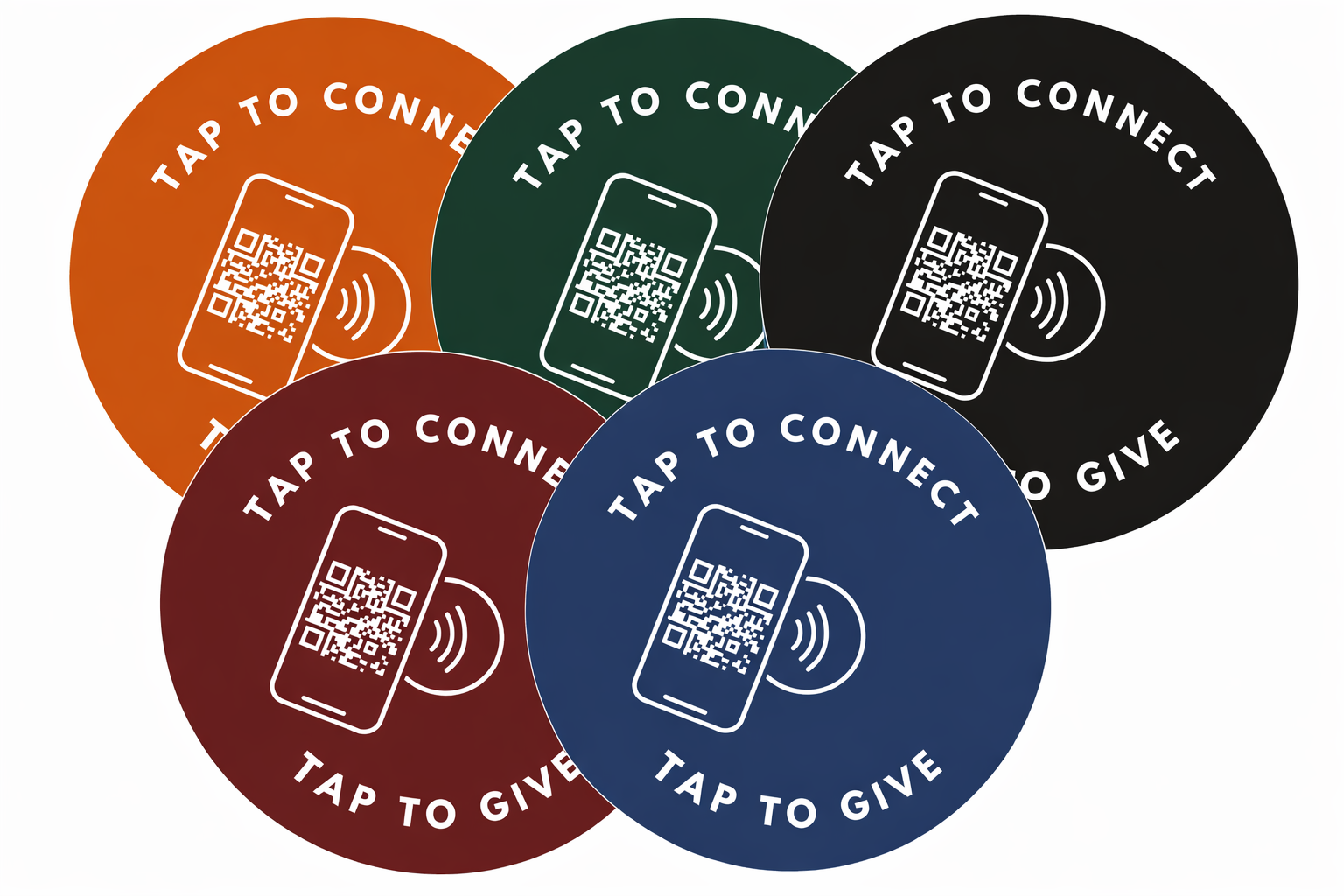
See your church's disc and price in 30 seconds
Design it yourself on the next page. From $3.50 per disc, free shipping, no monthly fees.
Why Your Online Audience Gives Less Than the Room
Picture a Sunday where 220 people are in the room and another 180 are watching the stream from a couch. The offering is announced. In the room, a plate moves down the row, a neighbor reaches for a wallet, and giving happens almost without thinking. On the couch, nothing moves at all.
The online viewer is not less generous. They are getting a worse invitation. They have none of the in-room cues, and they usually face a longer path: leave the stream, open a browser, find the church website, hunt for a giving button, and often create an account before they can give a dollar. Every one of those steps loses people.
That is good news, because it means the problem is fixable without changing anything about your people. The audience is already there and already paying attention. The job is to shorten the distance between that attention and a completed gift.
Put the Giving Link Where Their Eyes Already Are
A livestream viewer is looking at exactly one screen. The giving invitation has to live on that screen, not three clicks away on a different site. Use all three of these at once, because each one catches a different viewer.
Pin a short giving link in the chat and the description.
On YouTube, Facebook, or your own player, pin a comment with a short, memorable link and paste the same link in the video description. A short link such as yourchurch.org/give is easier to trust and type than a long platform URL.
Keep a giving graphic on screen during the offering.
A lower-third banner with the giving URL and a QR code, held on screen for the length of the offering, lets a viewer give from a second device without leaving the stream on the first. The QR code is the one-tap bridge from the television to a phone.
Add a giving button inside your own player or app.
If you host the stream on your website or a church app, put a persistent Give button right beside the video so a viewer never has to go looking. The fewer tabs a person opens, the more gifts you keep.
None of this requires a new tool. Your existing platform already generates the giving URL. You are simply making it impossible to miss.
Make the Giving Page Open in One Tap, No App, No Login
A visible link only helps if the page it opens is fast and friendly. Nearly nine in ten US adults own a smartphone, according to the Pew Research Center Mobile Fact Sheet, so the device is almost never the barrier. The page usually is.
Open your own giving link on a phone and time yourself. A first-time viewer should be able to give in under a minute, which means the page has to load fast, work on a small screen, allow a gift without creating an account, and accept Apple Pay or Google Pay so no one has to type a card number from the couch.
If your giving page fails that test, fix it before you fix anything else. We walk through the most common repairs in our guide to increasing digital donations without an app, and the broader playbook on how to increase online giving covers the follow-up that turns a one-time online gift into a recurring one.
Say the Invitation Out Loud, on Camera
A pinned link is passive. People give when a person asks them to. Someone on the platform, or an online host in the chat, should speak directly to the camera during the offering: name the online audience, explain why giving matters this season, and tell them exactly where the link is.
Address the stream as a congregation, not an afterthought. A line as short as "if you are watching online, the giving link is pinned right below this video, and your gift keeps this ministry going" does more than any graphic. It gives the online viewer the same permission and the same moment the room gets.
The same discipline you use for the in-room ask works on camera. If you want a tested script for the moment, our post on announcing digital giving from the stage gives you words you can read almost verbatim.
One Giving Page, Two Front Doors: the Room and the Stream
Here is the part worth getting right: your online audience and your in-person audience should give to the same place. One giving page, two front doors. The stream reaches that page through an on-screen link or QR code. The room reaches it through something physical.
For the people physically in the room, a tap disc on the seat back is the pinned link made physical: one tap of a phone opens the same giving page, with no app and no login. A remote viewer cannot tap a disc through a screen, so the stream still needs its on-screen link. The point is that both doors open on the giving platform you already chose.
I am a pastor, and I built Tap.Giving because our own church needed a way to make giving one tap away for the people in the room. We sell the discs; you keep the platform you already chose. Tap.Giving discs are $3.50 to $5.00 each, one time, with free shipping and no monthly fees. They open your existing giving page, the same page your online viewers reach from the stream.
Thinking of the room and the stream as one giving page keeps your reporting simple and your message consistent. Whether you want to compare the ways people can give in person, our rundown of the best church donation technology lays the options side by side.
Where to Place the Invitation, by Platform
The method is the same everywhere, make the link visible and immediate, but each streaming surface gives you a different place to put it.
| Where you stream | Best place for the giving link |
|---|---|
| YouTube | Pinned live-chat message, the first line of the description, and an on-screen lower-third during the offering |
| Facebook Live | Pinned comment and a QR graphic on screen, since Facebook viewers often watch on a phone and give on the same device |
| Church app or website player | A persistent Give button beside the video, plus the on-screen graphic during the offering |
| Living-room TV viewers | The on-screen QR code is essential: it is the bridge from a television that cannot click to a phone that can |
If most of your online audience is watching on phones, the broader friction rules in our mobile giving guide apply directly to the stream.
FAQ
Why do online viewers give so much less than people in the room?
An online viewer gets none of the in-room cues: no plate passing by, no neighbor reaching for a wallet, no host standing up to invite the offering. They also usually face a longer path. To give, they have to leave the stream, find the church website, hunt for a giving button, and often create an account. Each of those steps loses people. Close the gap and online giving rises, because the audience is already watching.
Where should we put the giving link during a livestream?
Put it where the viewer's eyes already are. Pin a short giving link in the live chat and the video description, keep a persistent on-screen URL or QR code in a lower-third graphic during the offering, and add a giving button inside your church app or website player if you host the stream yourself. The goal is that a viewer never has to go looking, the invitation is always one tap from the screen they are watching.
Do we need a new platform to collect giving from online viewers?
No. Your online viewers can use the same giving page your church already has on Tithely, Pushpay, Subsplash, Donorbox, Givelify, Planning Center, or any other platform with a mobile-friendly giving URL. What changes is not the platform, it is how visible and immediate you make the link during the stream.
Related Articles
Increase Church Digital Donations Without an App
The most common fixes for a slow or clunky giving page, the page every online viewer lands on.
PlaybookHow to Announce Digital Giving From the Stage
A tested script for the offering moment that works on camera as well as in the room.
GuideMobile Giving for Churches: 5 Methods Compared
Most online viewers give from a phone, so the mobile friction rules apply straight to the stream.