Tap to Give on a Church WordPress Website
Your church runs on WordPress and you want people to tap a phone during the offering instead of hunting for a giving link. Here is exactly how tap-to-give fits a WordPress site, step by step, without touching your theme, your plugins, or your giving setup.
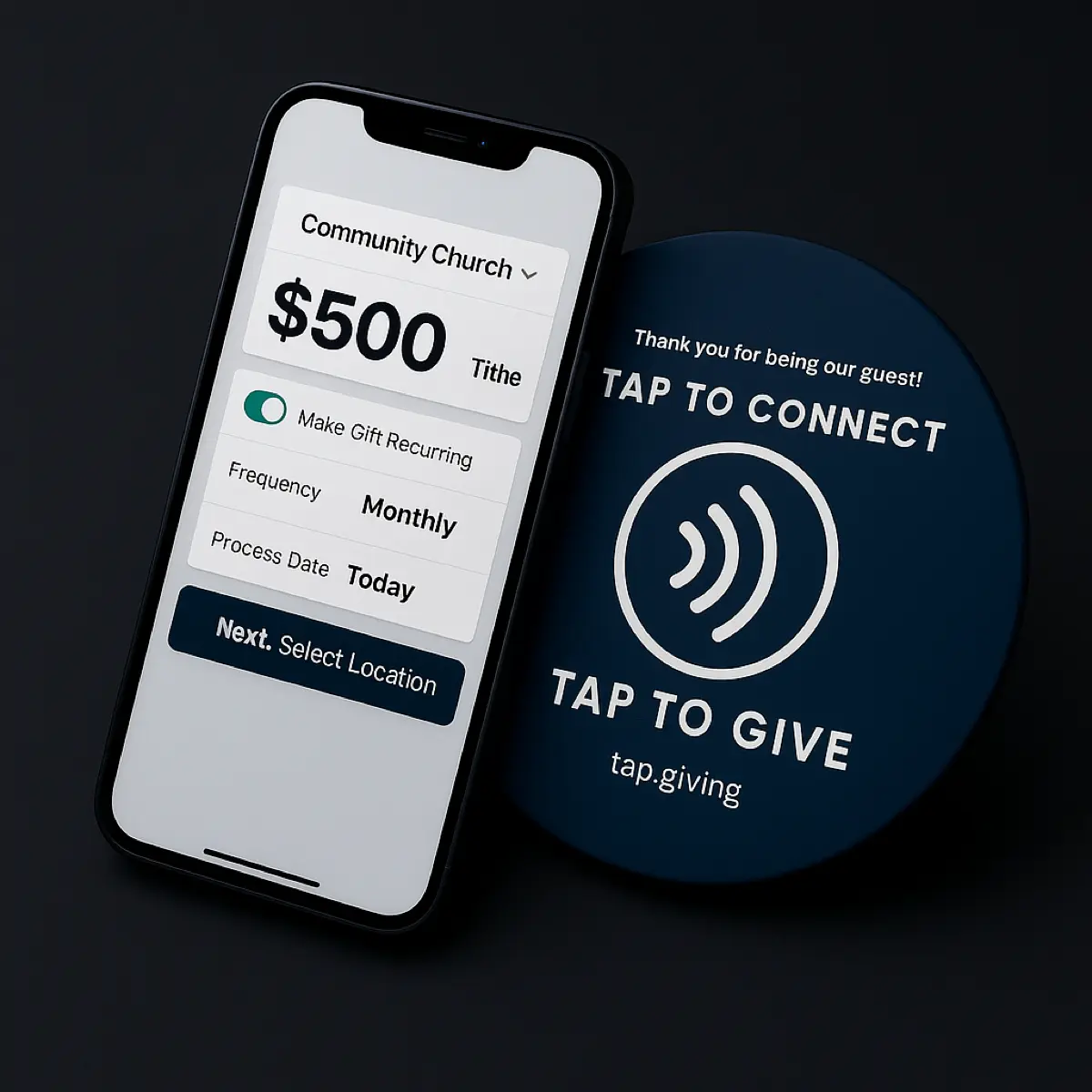
A WordPress church keeps its existing giving setup exactly as it is: a GiveWP donation form, an embedded Tithely, Pushpay, or Donorbox block, or a linked giving page. Tap.Giving plates are hardware that point a phone tap at the web URL of that giving page, so nothing about WordPress has to change. You find the giving page URL, order plates encoded with it, mount them, announce them, and read results in the platform you already use.
See your church's plate and price in 30 seconds
Design it yourself on the next page. From $3.50 per plate, free shipping, no monthly fees.
1. Find your WordPress giving page URL
Open your church's giving page on a phone and copy the address in the browser bar. That address is the only thing the plate needs. On WordPress that page is almost always a normal permalink, something like yourchurch.org/give or yourchurch.org/donate.
If your giving runs through a plugin, the page still has a public URL. A GiveWP donation form lives on whatever page you embedded it into, so use that page's permalink. An embedded Tithely, Pushpay, or Donorbox block sits inside a WordPress page too, and that page has its own address you can point the plate at.
Test the link the way a first-time guest would: open it in a private browser tab on your phone, confirm it loads fast, and confirm a visitor can give without logging in. The plate only matters if the page it opens is good on a phone.
2. Order your plates
Order one plate per seat, with a 100-plate minimum, and send us your logo plus the giving URL from step one. A vector logo (.ai, .svg, or a vector PDF) prints cleanest, but the fastest way to start is to design your plate on the interactive proof page: pick your colors, add your logo, type your giving URL, and see the plate render in real time.
Tap.Giving is hardware, not a payment processor. We do not touch the money or ask you to switch platforms. We print plates that open the giving page you already have. Delivery is typically 2-3 weeks from artwork approval, and rush service is available for a fee.
3. Mount them
Attach a plate within arm's reach of every seat. Use the adhesive backing on pew backs or the back of a chair, pre-drilled holes if you want to screw them down. Our guide to mounting plates on pews and chairs covers the surfaces that hold best.
Most volunteer teams mount 200 plates in about an hour. Space them so a person seated normally can reach a plate without leaning, because a plate nobody can reach never gets tapped.
4. Announce it from stage
Demonstrate one tap from the front on the first Sunday. People will not use a plate they do not understand, and a 30-second live demo erases the hesitation in a single weekend.
Give the congregation a one-sentence script during the offering: hold your phone to the plate in front of you, and your giving page opens right up. Our launch kit at tap.giving/launch includes a slide, a script, and troubleshooting tips for guests with older phones.
5. Track results
Read the results in the giving platform you already use, because that is where every donation still lands. GiveWP shows new gifts in its Donations report inside WordPress. Tithely, Pushpay, and Donorbox each show new givers in their own dashboards.
Watch for first-time online givers in the weeks after launch, then thank them and invite them to set up recurring giving. The plate is the on-ramp; your platform's follow-up tools do the rest.
Does it need a WordPress plugin?
No. There is nothing to install on your WordPress site, no plugin to add, no theme file to edit, and no code to paste. A tap plate is physical hardware: a small disc with an NFC chip programmed with your giving page's web address. When someone holds a phone to it, the phone opens that address in its browser, exactly as if they had typed it. WordPress never knows the difference between a visitor who tapped a plate and one who clicked a link.
That matters for the two things a WordPress admin worries about most. First, your site speed is untouched: because no script is added to any page, plates cannot slow your load time, break a caching plugin, or conflict with anything else you run. Second, your giving stays exactly where it is. You do not switch away from GiveWP, Tithely, Pushpay, or whatever already collects your gifts; the plate just sends people to it faster. If keeping things simple is the point, that is the case for giving without an app in a nutshell.
The one thing you do need is a giving page that already works on a phone. The plate is only as good as the page it opens, so if your current donation flow is clunky on mobile, fix that first and the plate will carry its full weight.
Things to know about WordPress
WordPress gives you more than one way to accept gifts, so the URL you point the plate at depends on how your giving is built. Here is how to find the right one for each common setup.
A GiveWP donation form
GiveWP forms live on the page where you placed the form block or shortcode. Point the plate at that page's permalink. If the form sits on your homepage, make a dedicated /give page holding just the form so the plate opens straight to it.
An embedded giving plugin or block
Even when a Tithely or Pushpay widget is embedded inside a WordPress page, that page still has a public URL. You can point the plate at the WordPress page, or point it straight at the provider's own hosted giving page (like your Tithely or Pushpay branded link) so the plate skips a step.
Donations through WooCommerce
Some churches take gifts as a WooCommerce product or a donation checkout. Point the plate straight at that product or checkout URL so a tap lands the giver on the payment step, not the shop. If you use a deeper cart flow, make a single donation page that opens checkout in one click and encode that instead.
A clean permalink helps
Set your WordPress permalinks to a readable slug (Settings, then Permalinks) so your giving page is yourchurch.org/give rather than yourchurch.org/?page_id=214. A short, tidy URL is easier to print on the QR fallback and easier to trust.
If the URL might change later
Redesign a WordPress site, switch giving plugins, or move to a new platform, and the old permalink can break. To avoid ever reprinting, we can encode a re-pointable smart link at go.tap.giving/yourchurch that you update whenever your giving page moves. It is included free on orders of 400 or more plates, and a $50 per year add-on below that.
Whichever route you choose, the plate does not care that WordPress is behind the page. It reads one web address to a phone; your WordPress site keeps doing everything it already does.
What it costs
Plates are a one-time purchase with free shipping and no monthly fees from us. The more you order, the lower the per-plate price.
- 100-199 plates: $5.00 each
- 200-399 plates: $4.00 each
- 400+ plates: $3.50 each, with the re-pointable smart link included free
- Free shipping, no setup fees, no transaction fees from us
- The 10% first-order discount expires 7 days from the quote
A 150-seat church: 150plates x $5.00 = $750 one-time, free shipping. That is the whole cost. No second year, no renewal, no per-gift fee added on top of what your giving platform already charges. For the full table and larger quantities, see our pricing page.
See your WordPress church's plate right now
Design it in your colors, add your logo, and point it at your giving page. One-time hardware, works with the platform WordPress already sends your givers to.
Start a quote to get 10% off for 7 days
Common questions
Do I need a plugin to add tap-to-give to WordPress?
No. Nothing is installed on your WordPress site. A tap plate is hardware encoded with your giving page's web address, so a phone tap simply opens that address in the browser. You never touch your theme, your plugins, or any code.
Will tap plates slow down my WordPress site?
No. Because no script is added to any page, plates cannot affect your load time, your caching plugin, or anything else on the site. The speed a giver experiences is entirely the speed of the giving page the plate points at.
Does tap-to-give work with GiveWP?
Yes. Point the plate at the permalink of the WordPress page that holds your GiveWP donation form. If the form shares a busy page, make a dedicated giving page with just the form so the plate opens straight to it.
Can I keep my current giving platform?
Yes. Tap.Giving is hardware, not a payment processor. We do not touch the money or ask you to switch. The plate opens whatever giving page you already use, and every gift lands in the platform you have now, with no new per-gift fee from us.
What URL do I point the plate at?
The public web address of your giving page, copied from a phone browser. On WordPress that is usually a clean permalink like yourchurch.org/give. Test it in a private tab first to confirm a first-time guest can give without logging in.
What if I redesign my site or change the giving URL later?
Encode a re-pointable smart link such as go.tap.giving/yourchurch and the plates never need reprinting. Update where it points whenever your giving page moves. It is free on orders of 400 or more plates and a $50 per year add-on below that.
Related Articles
How Tap to Give Works for Churches
A plain-English walkthrough of what the giver does, what your church sets up, and what it costs.
ComparisonTap to Give Platform Comparison
How tap-to-give options stack up on cost, lock-in, and how they fit your existing giving platform.
GuideChurch Giving Technology Guide
A full tour of the tools churches use to accept gifts, and where hardware like plates fits in.